How Do Computers Multiply Two Big Numbers So Fast?
Fast arithmetic from tiny steps
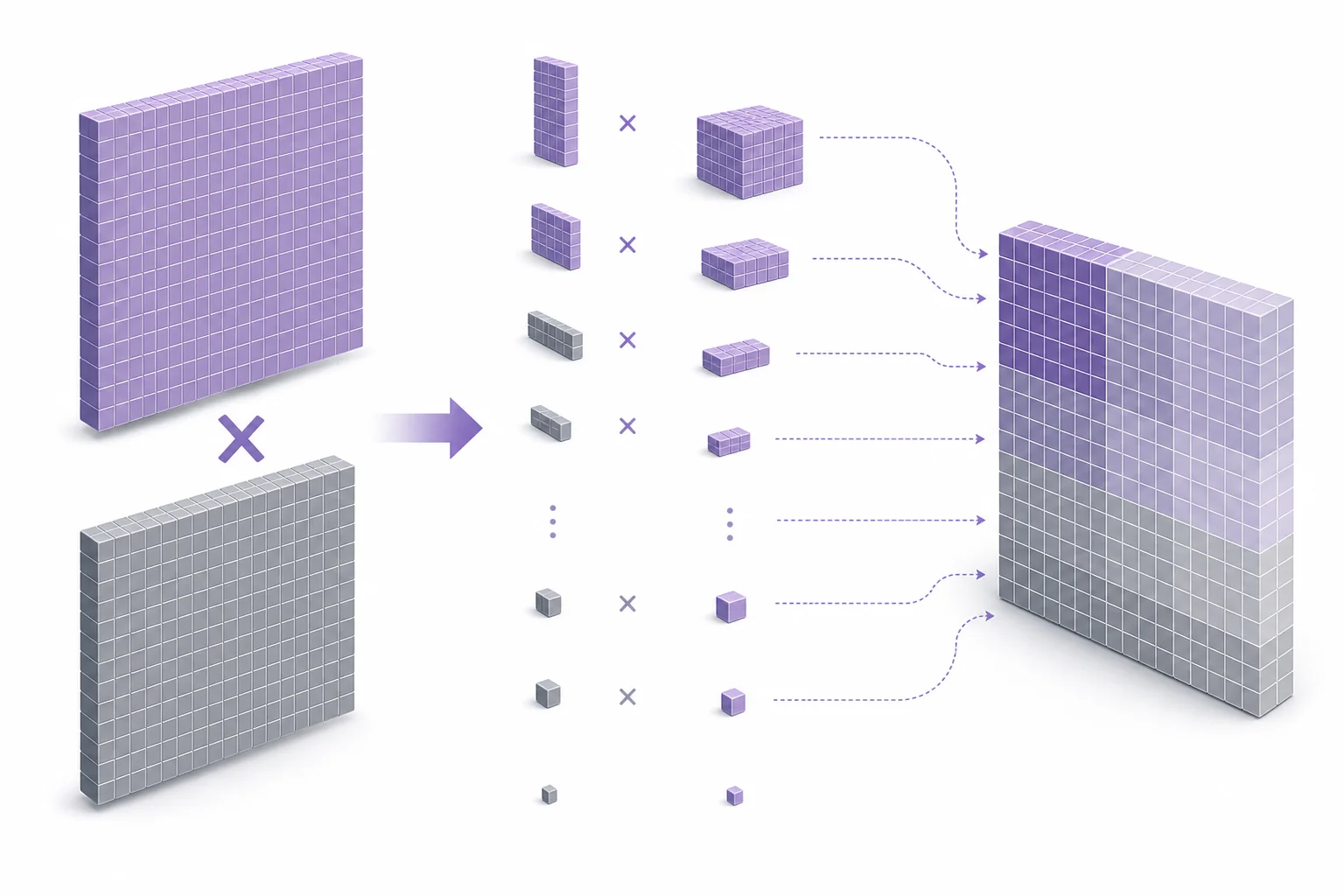
Computers rewrite numbers using only zeros and ones. Then they use many small add and move-left steps that circuits can do very quickly. Bigger numbers have more digits, so they need more steps unless the computer uses a smarter method.
A calculator can multiply long numbers faster than a person can copy them down. That speed does not mean the computer guessed. It followed a plan made of very small steps. The plan is close to the paper method for multiplication. The main difference is that computers use base 2, so each digit is only 0 or 1. That makes each small decision simple. Multiply by 0 and the partial product is 0. Multiply by 1 and the partial product is a shifted copy of the other number. Then the computer adds the partial products. This connects to polynomial-style structure in Common Core algebra, because place value turns a number into a sum of powers. You can compare the place-value idea with tools like the graphing calculator when exploring patterns in powers.
Numbers as powers of two
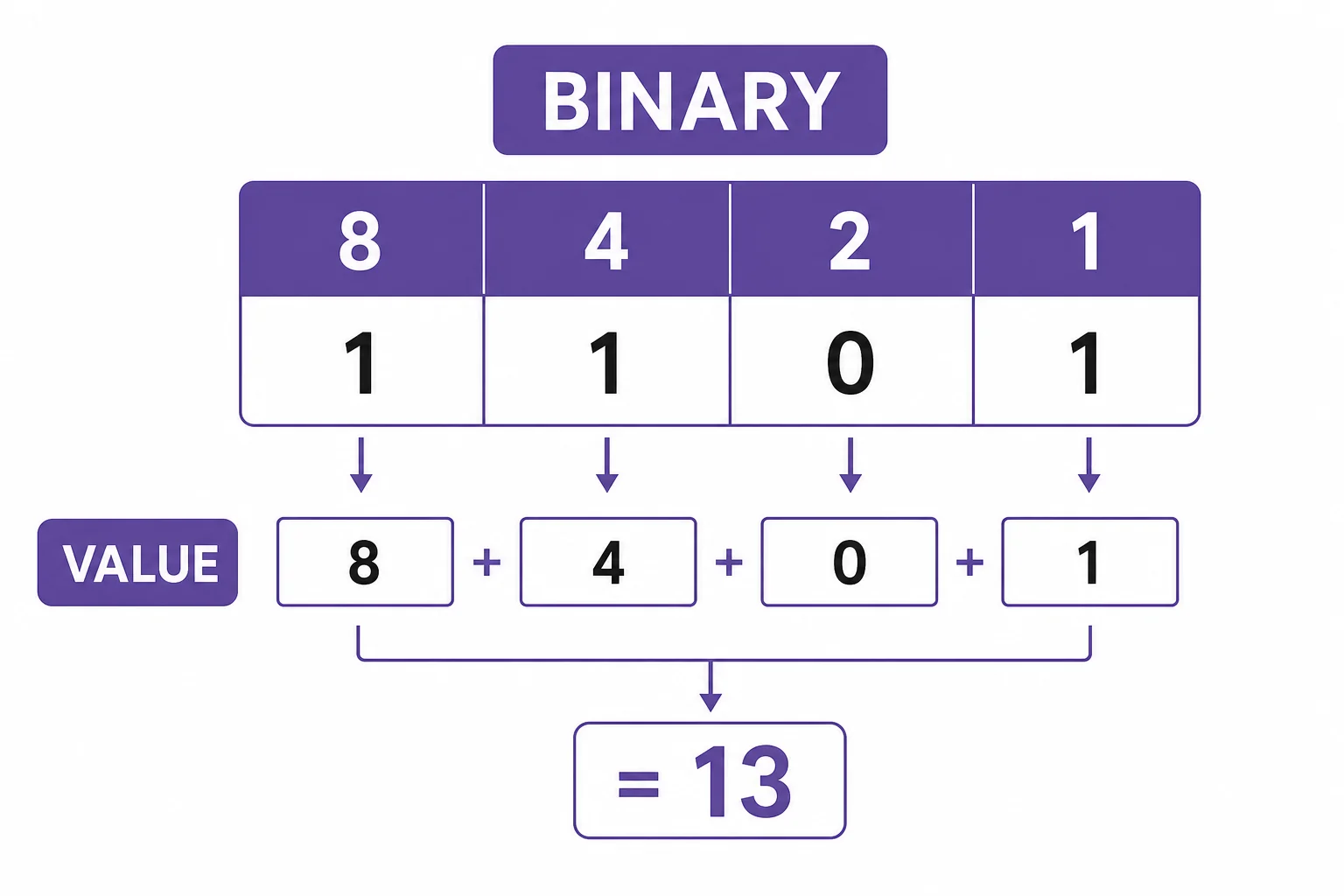
Binary multiplication starts with ordinary place value.
Shift and add
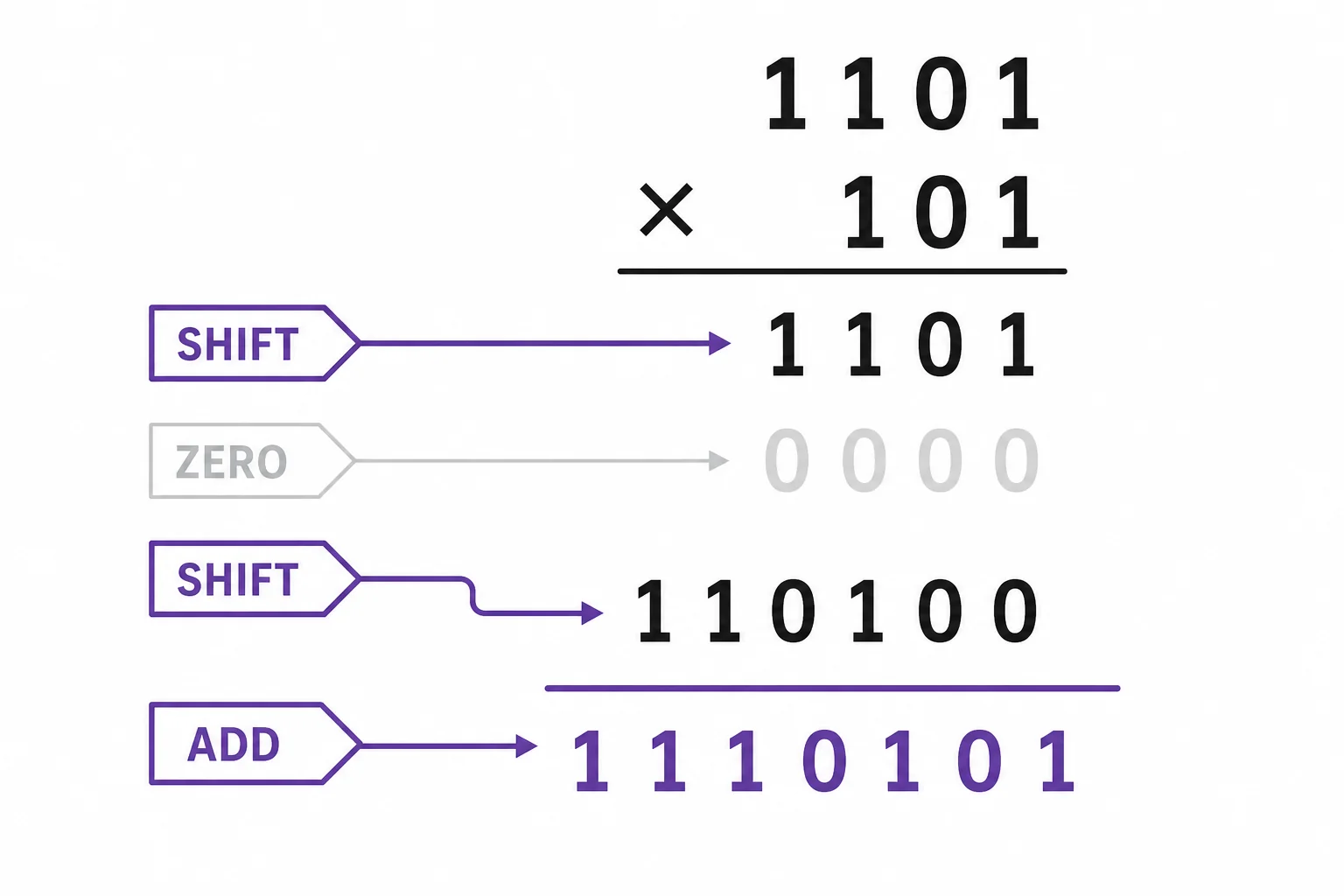
Multiplying by a bit is either copy or ignore.
Why size matters
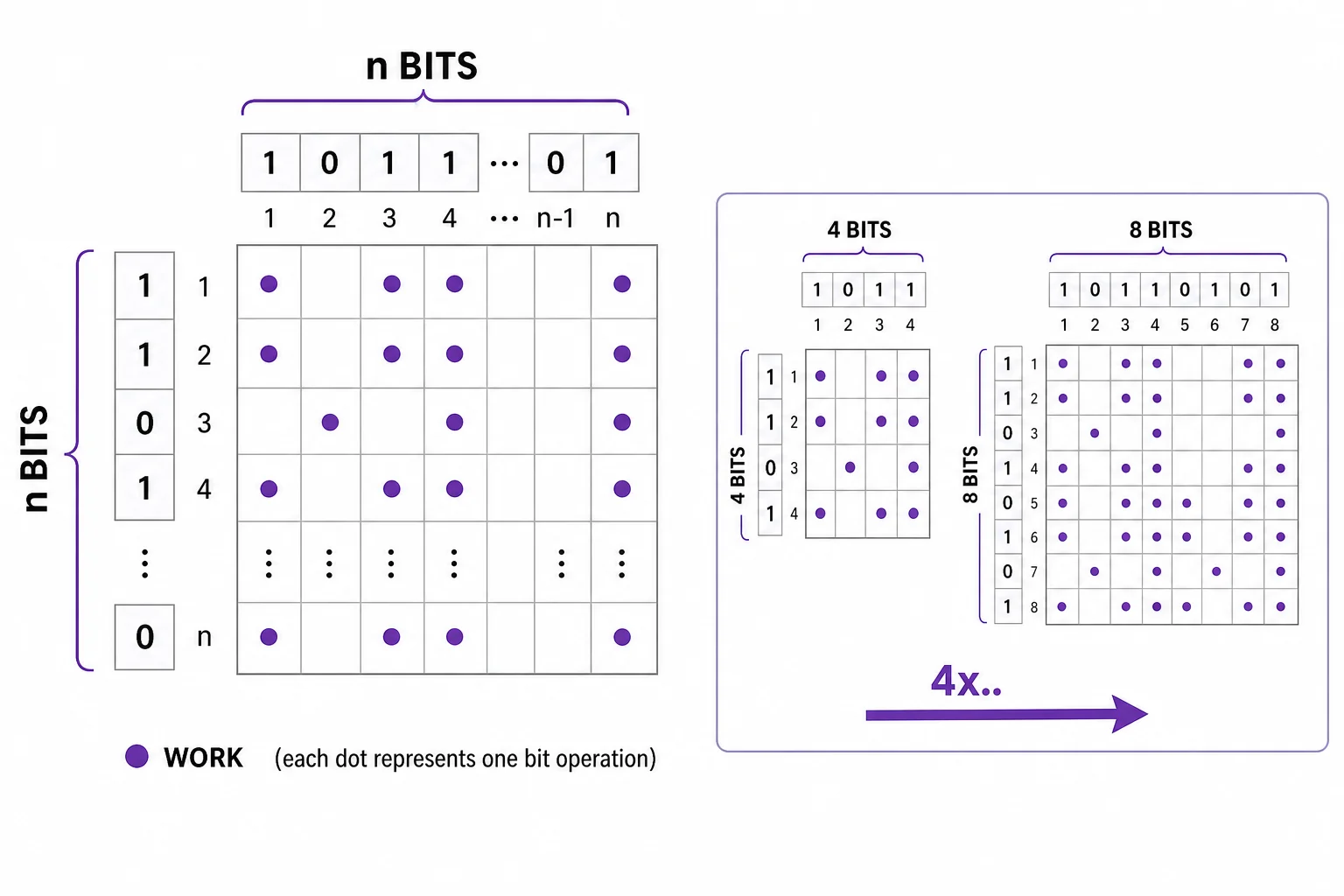
More digits make the simple method grow quickly.
Smarter splitting
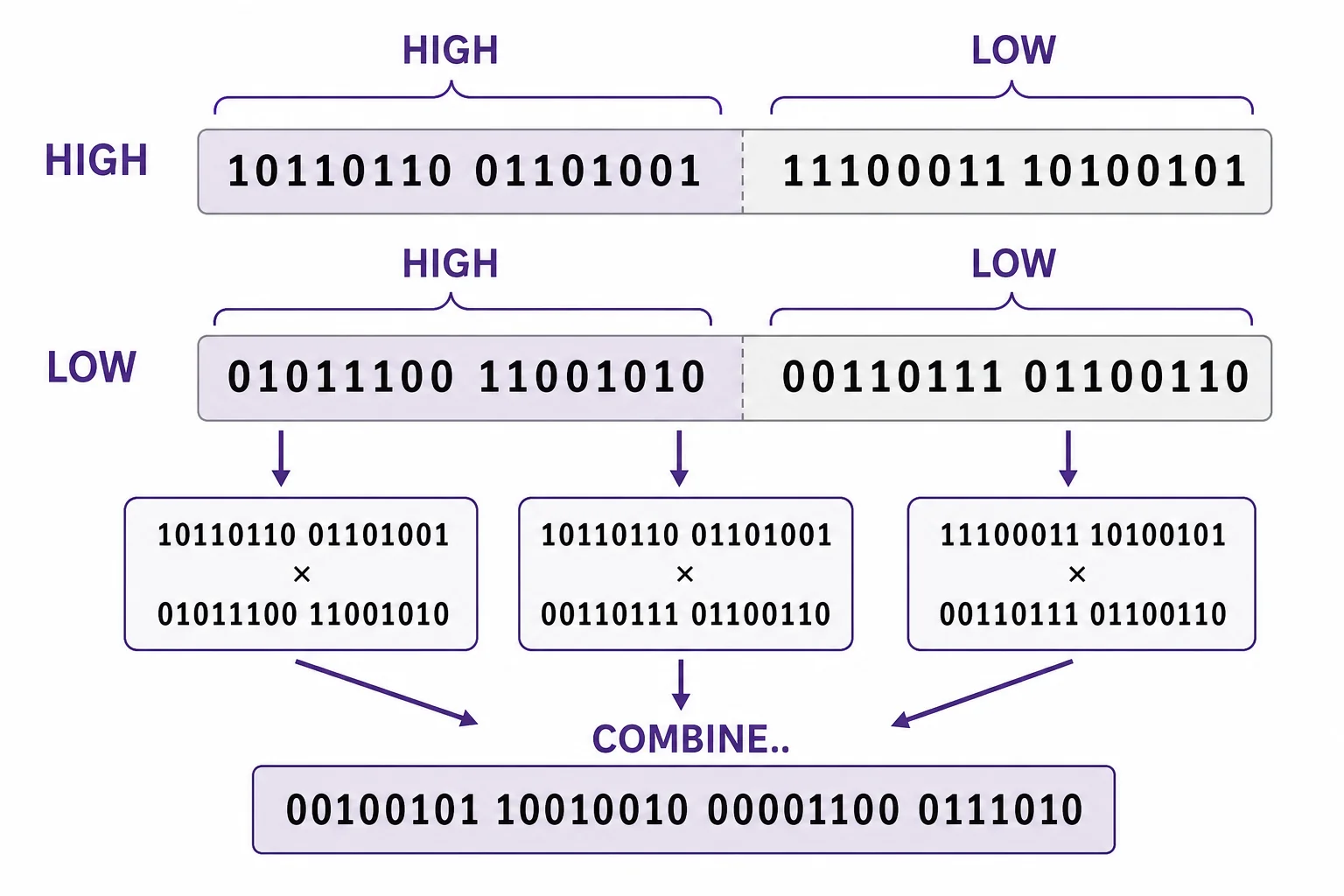
For huge inputs, fewer big multiplications can beat a simpler plan.
Circuits do many steps
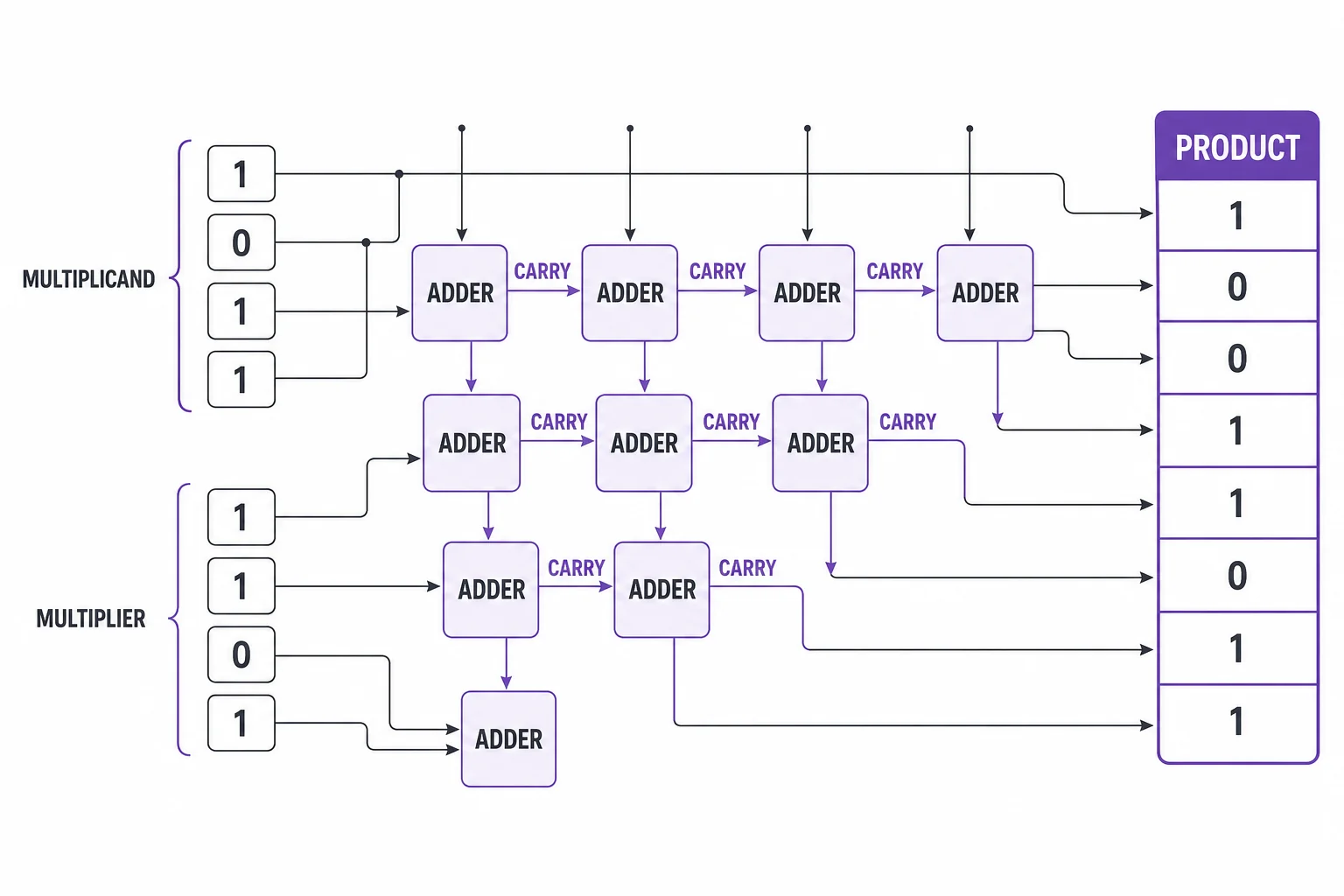
Fast multiplication is both an algorithm and a circuit design.
Vocabulary
- Binary
- A base 2 number system that uses only the digits 0 and 1.
- Bit
- One binary digit. It can have the value 0 or 1.
- Shift
- A move of binary digits left or right. A left shift multiplies a whole number by a power of 2.
- Partial product
- One row or piece of a multiplication problem before the pieces are added together.
- Algorithmic complexity
- A way to describe how the number of steps in a method grows as the input gets larger.
- Carry
- A value moved to the next place during addition when a place becomes too large for one digit.
In the Classroom
Paper binary multiplication
25 minutes | Grades 9-12
Students convert small decimal numbers to binary, then multiply them with the shift-and-add method. They check the answer by converting the product back to decimal.
Count the bit operations
20 minutes | Grades 9-12
Students compare 4-bit, 8-bit, and 16-bit multiplication grids. They record how the grid area changes and connect the pattern to quadratic growth.
Algorithm choice discussion
30 minutes | Grades 10-12
Students compare a simple method with a split method using a flowchart. They explain why an algorithm with more setup can still be faster for large inputs.
Key Takeaways
- • Computers multiply in binary, where each digit is only 0 or 1.
- • The shift-and-add method is the binary version of long multiplication.
- • Bigger numbers take longer because they have more bits to process.
- • Algorithmic complexity describes how the work grows as inputs grow.
- • Very large products may use smarter splitting methods and specialized hardware.