Coding Mazes & Sequencing Lab
Write programs to guide a robot through mazes. Trace execution one step at a time, build your own sequence of commands, and fix a broken program by finding the bug.
Guided Experiment Coding Mazes Investigation
How many steps do you think it takes to solve Maze 2 (Turn & Go)? Can you predict the path before running the program?
Write your hypothesis in the Lab Report panel, then click Next.
Controls
Select a maze tab and click Run to execute your program. Use Trace mode to step through one command at a time.
Trace Straight Path
Click "Next Step" to execute one command at a time. Can you predict where the robot will end up?
Program
Step 0 of 3
Robot position: (0, 2) facing east
Data Table
(0 rows)| # | Maze # | Commands Used | Steps to Solve | Bug Found (Y/N) | Bug Fix | Notes |
|---|
Reference Guide
What Is an Algorithm?
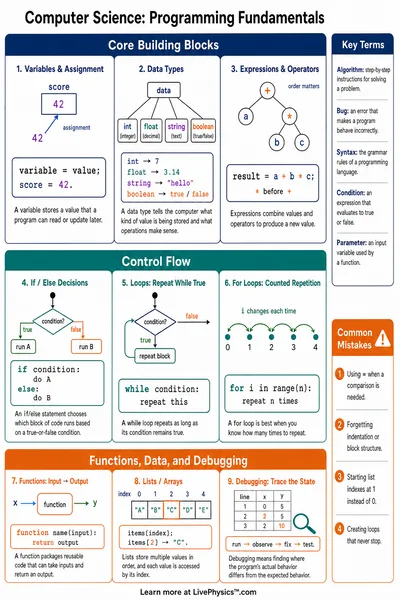
An algorithm is a step-by-step set of instructions that a computer follows exactly. Every step must be clear - the computer cannot guess what you mean.
Algorithms are everywhere, a recipe, directions to a friend's house, or the steps to tie your shoes. A computer program is an algorithm written in code.
Commands
This lab uses three commands to move the robot
- Forward - move one step in the direction you are facing
- Turn Left - rotate 90 degrees counterclockwise
- Turn Right - rotate 90 degrees clockwise
Order matters. "Forward, Turn Left" ends up in a different place than "Turn Left, Forward".
Sequencing Rules
Sequencing means putting commands in the right order. Swapping two steps changes the outcome - sometimes completely.
A sequence of commands is called a program. Running the program means executing each command in order, one at a time.
Debugging Strategies
Debugging means finding and fixing errors (bugs) in a program. A good debugging strategy
- Trace each step in your head before running
- Run the program and watch where it goes wrong
- Identify the step where the problem starts
- Fix that one step and run again
One wrong command can send the robot the wrong way for the rest of the program. Find the first mistake and fix it first.