Loops, Debugging & Animation Lab
Discover how loops make programs shorter, hunt bugs in broken code, and create event-driven sprite animations. Three core programming concepts in one lab.
Guided Experiment Loops & Debugging Investigation
How many commands does it take to draw a square without a loop? How many with a loop? Which is shorter?
Write your hypothesis in the Lab Report panel, then click Next.
Controls
Explore loops, fix buggy programs, and build event-driven sprite animations.
Draw a Square, Flat vs. Loop
Compare the same program written two ways. A loop repeats a block of commands, making the code shorter.
Flat Program (no loop)
8 commandsLoop Program
3 blocks, 8 total stepsAt 4 repeats the loop takes 8 steps - same work, but written in just 3 blocks instead of 8 commands.
Data Table
(0 rows)| # | Program | Bug Type | Bug Location (step #) | Fix Applied | Loops Used | Steps Without Loop | Steps With Loop |
|---|
Reference Guide
What Is a Loop?
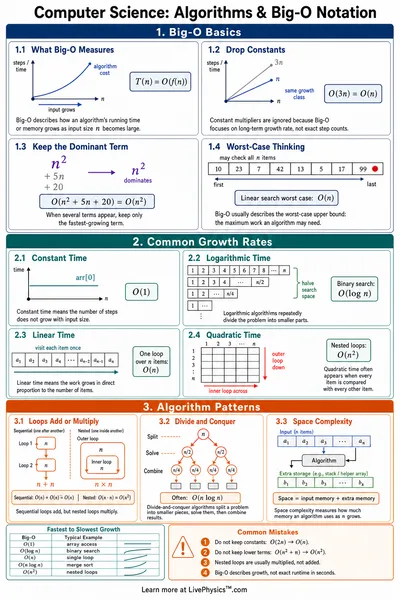
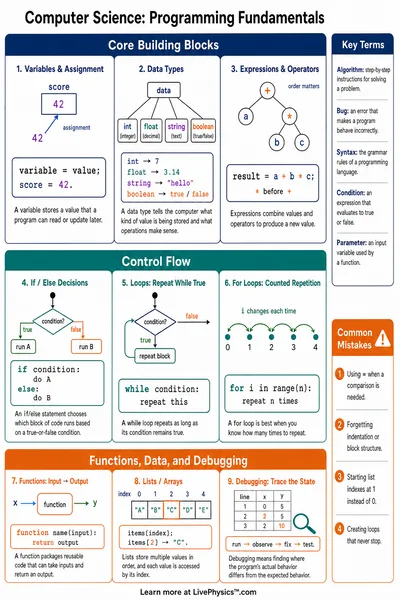
A loop repeats a block of code a set number of times. Instead of writing the same commands over and over, you write them once inside a loop.
Drawing a square without a loop takes 8 commands. With a loop, you write just 2 commands and tell the computer to repeat them 4 times.
Loop Syntax
A loop has two parts, the repeat count and the body.
loop 4 times:
  forward
  turn-right
The computer runs "forward, turn-right" four times in a row - that is 8 total commands but written in just 3 lines.
Common Bug Types
There are three common bug types you will see in this lab
- Wrong command - a command in the program is not what it should be (e.g., turn-left instead of turn-right)
- Wrong count - the loop repeats too many or too few times
- Missing step - a required command is absent from the program
When you find a bug, change only one thing and check again. Changing too much at once makes it hard to know what fixed it.
Events in Programming
An event is something that happens - like a click or a timer going off. Event-driven programs wait for events, then run code in response.
- On Click - runs when the user clicks the sprite
- On Timer - runs on a fixed schedule (every 2 seconds)
Most interactive programs - games, apps, websites - are event-driven. The program does nothing until something happens.