Practice key ideas about the Internet and computer networks, including protocols, IP addresses, packets, routing, DNS, bandwidth, latency, and security.
Read each problem carefully. Answer in complete sentences and show your reasoning when calculations or explanations are needed.
How data moves, devices connect, and networks communicate
CS - Grade 9-12
- 1
Explain the difference between the Internet and the World Wide Web. Include one example of something that uses the Internet but is not the Web.
- 2
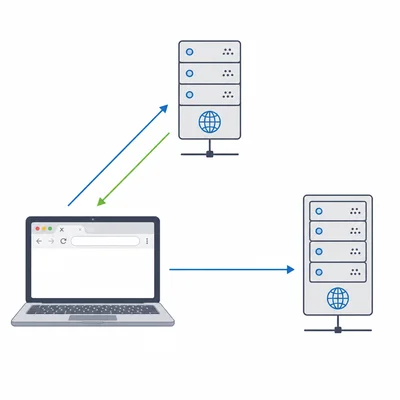
A student types www.example.com into a browser. Describe the role of DNS in helping the browser connect to the correct website.
- 3
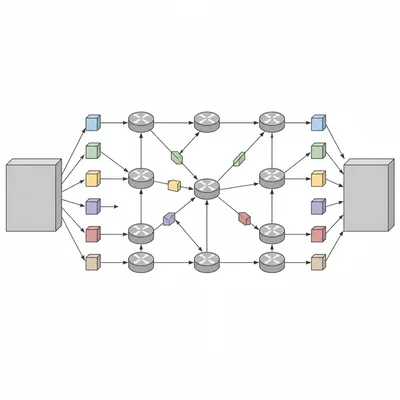
A file is split into packets before being sent across the Internet. Explain why packet switching is useful.
- 4
A network connection has a bandwidth of 50 megabits per second. About how long would it take to download a 500 megabit file under ideal conditions? Show your calculation.
- 5
Describe the difference between bandwidth and latency in a network. Give an example where low latency is especially important.
- 6
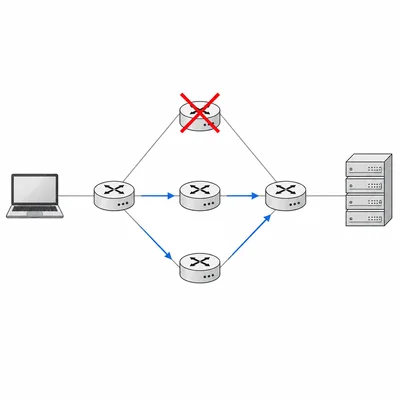
In the diagram, four routers connect a laptop to a web server. The possible routes are A-B-D, A-C-D, and A-E-D. If router B fails, explain what a well-designed network can do to keep communication working.
- 7
An IPv4 address has the form 192.168.1.25. Explain what an IP address is used for and why devices on a network need addresses.
- 8
Explain one important difference between IPv4 and IPv6.
- 9
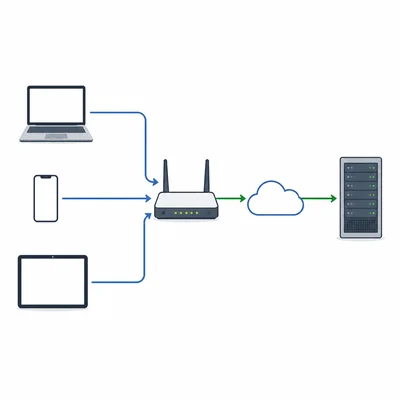
A home router uses NAT, or Network Address Translation. Explain why NAT is useful for a home network.
- 10
Put these steps in the correct order for loading a secure web page: browser sends HTTPS request, DNS returns an IP address, user enters a domain name, browser connects to the server, encrypted page data is returned.
- 11
A user connects to public Wi-Fi at a coffee shop. Identify two security risks and one safe practice the user should follow.
- 12
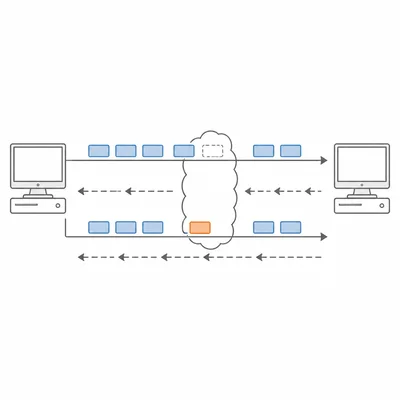
Explain the purpose of the TCP protocol when data is sent over a network.
- 13
UDP is often used for live video, voice chat, and online games. Explain why an application might choose UDP instead of TCP.
- 14
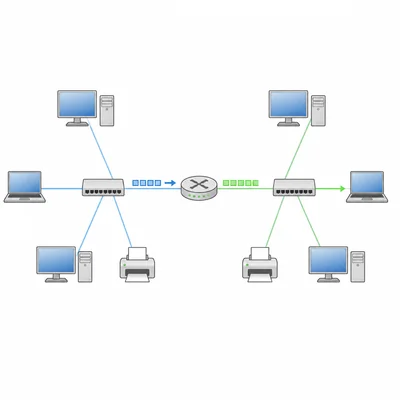
The diagram shows two networks connected by a router. Network 1 uses addresses 192.168.1.x, and Network 2 uses addresses 192.168.2.x. Explain the router's job when a computer on Network 1 sends data to a computer on Network 2.
- 15
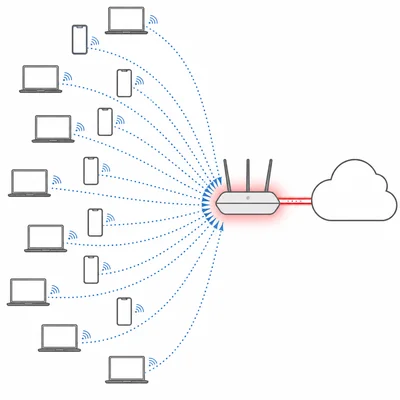
A school's network becomes slow during lunch when many students stream video. Explain what network congestion is and name one way the school could reduce it.