How Messages Travel on the Internet Lab
Send a message across the internet. Watch it break into packets, hop through routers, and arrive at a friend's computer where all the pieces get put back together.
Guided ExperimentHow Messages Travel Across the Internet
How does a message travel from your computer to a friend's? What do you think happens to the message before it arrives?
Write your hypothesis in the Lab Report panel, then click Next.
Controls
Split your message into packets, route them through the network, then reassemble them at the destination.
Split Your Message Into Packets
Type a short message. The internet splits messages into small pieces called packets before sending them.
12/15 characters
Your message has 3 packets:
Data Table
(0 rows)| # | Message Sent | Number of Packets | Hops to Destination |
|---|
Reference Guide
What Is a Packet?
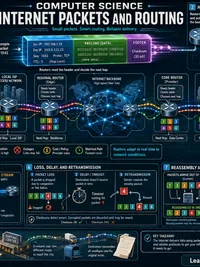
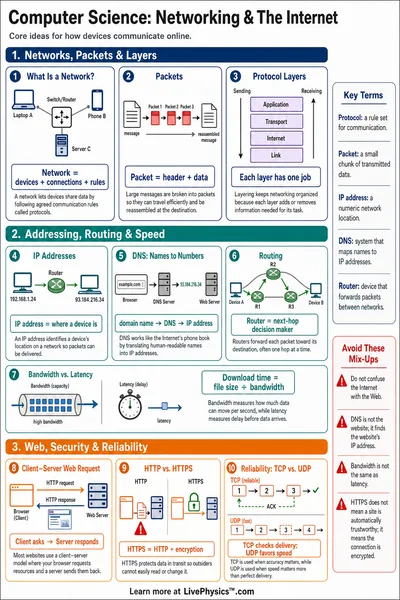
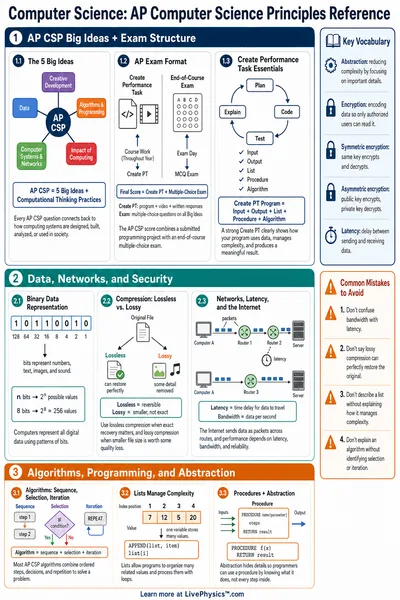
A packet is a small piece of a larger message. When you send a photo, video, or text over the internet, the computer breaks it into many small packets before sending.
Each packet contains a piece of the data plus a header. The header holds the destination address and a sequence number so packets can be put back in order.
What Is a Router?
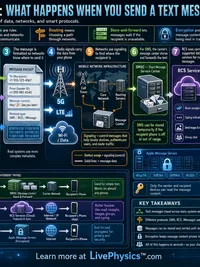
A router is a device that passes packets from one place to another, like a postal sorting machine. Each router reads the destination address on the packet and sends it to the next stop on the path.
A typical message passes through several routers between sender and receiver. This path of stops is sometimes called a "hop count."
IP Addresses
Every device on the internet has a unique number called an IP address. It works like a home address but for computers and phones.
When you send a message, every packet carries the destination IP address so routers know where to forward it. Without addresses, packets would have nowhere to go.
- An IPv4 address can look like
192.168.1.1. - An IPv6 address can look like
2001:0db8:85a3::1.
Why Split Into Packets?
Sending one giant message would clog the network. Smaller packets share the network fairly and travel faster. If one packet gets lost, only that small piece needs to be re-sent, not the whole message.
Different packets from the same message can even take different routes through the internet, then get reassembled in order at the destination.