How Does the Internet Send Your Message?
Tiny pieces take many paths
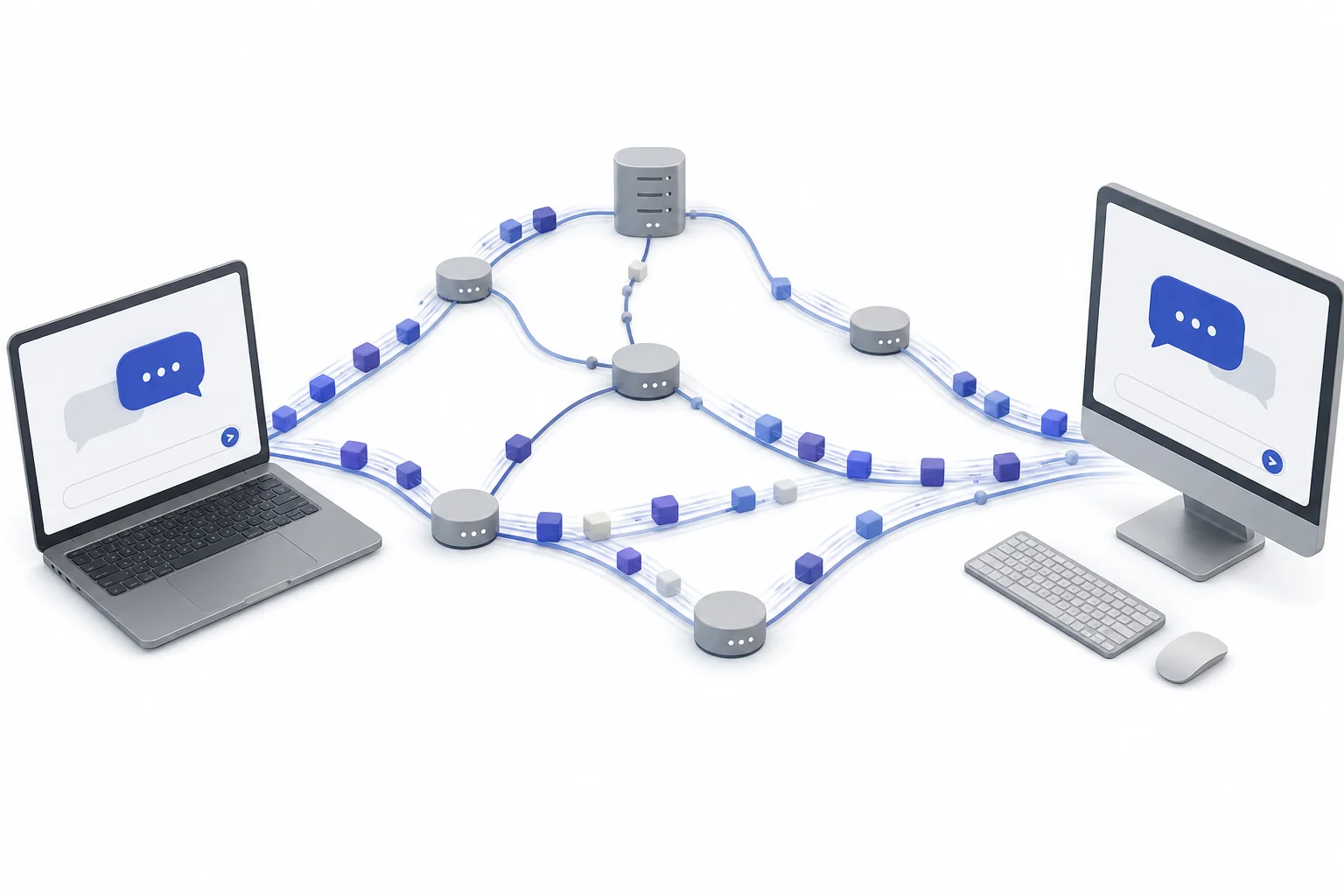
The internet sends your message by breaking it into small pieces. Each piece can travel through many machines before it reaches the other device. The pieces are put back in order so the message looks whole again.
A text message feels instant. You tap send, and a friend sees it a moment later. Under the surface, the message may cross Wi-Fi, fiber-optic cables, cell towers, data centers, and routers owned by different companies. It usually does not move as one solid block. Your device splits it into small pieces called packets. Each packet carries enough information to find the destination and fit back into the full message. Routers read that information and choose the next step. One packet might take a slightly different route than another. That sounds messy, but it helps the internet keep working when links are busy or broken. This idea is called packet switching. It is a core part of TCP/IP, the set of rules that lets many kinds of devices share one global network. For a review sheet, see the Networking and The Internet cheat sheet.
Messages become packets
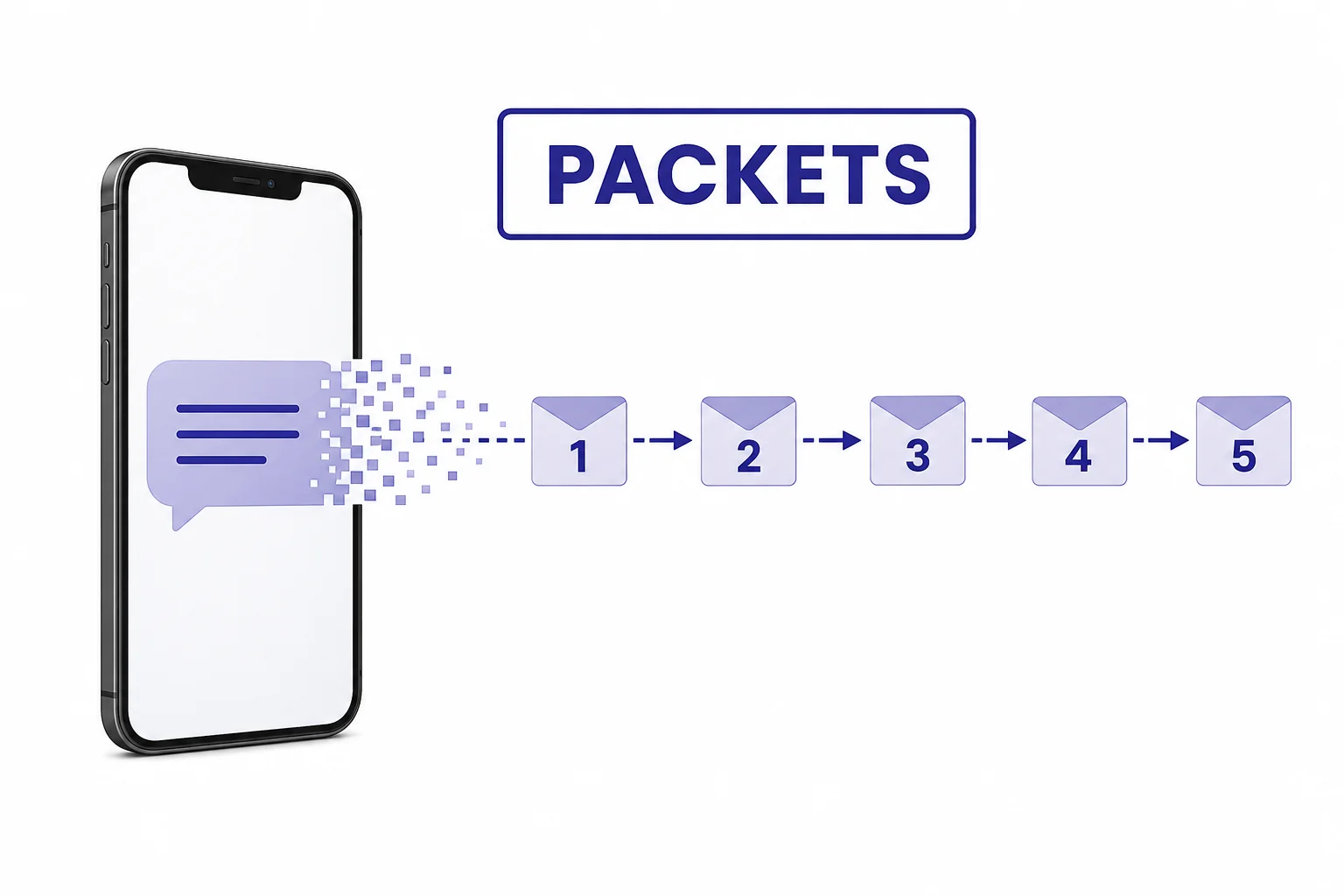
Packets make one message easier to move and repair.
Routers choose next steps
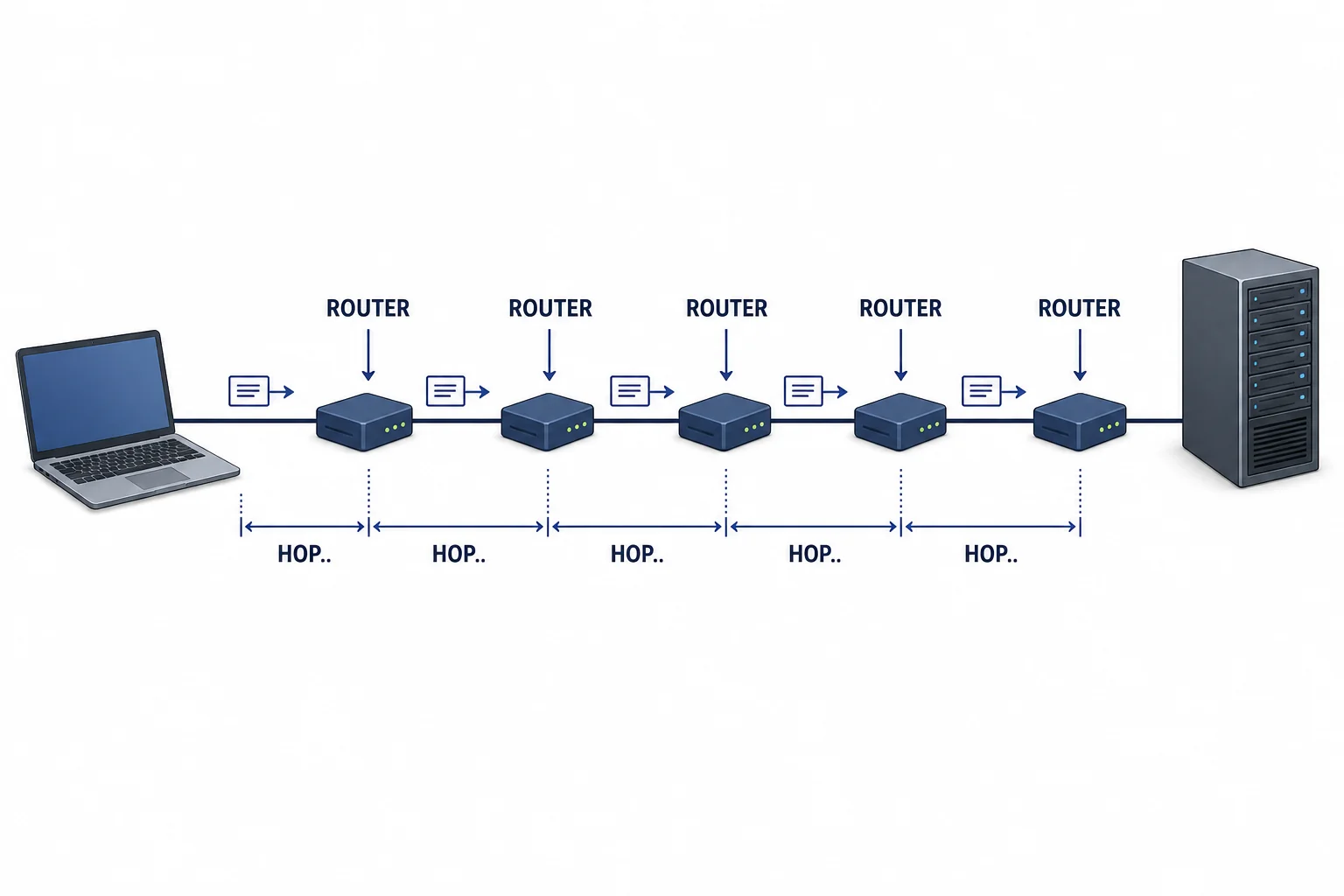
A router makes a local choice, then the next router does the same.
Many paths can work
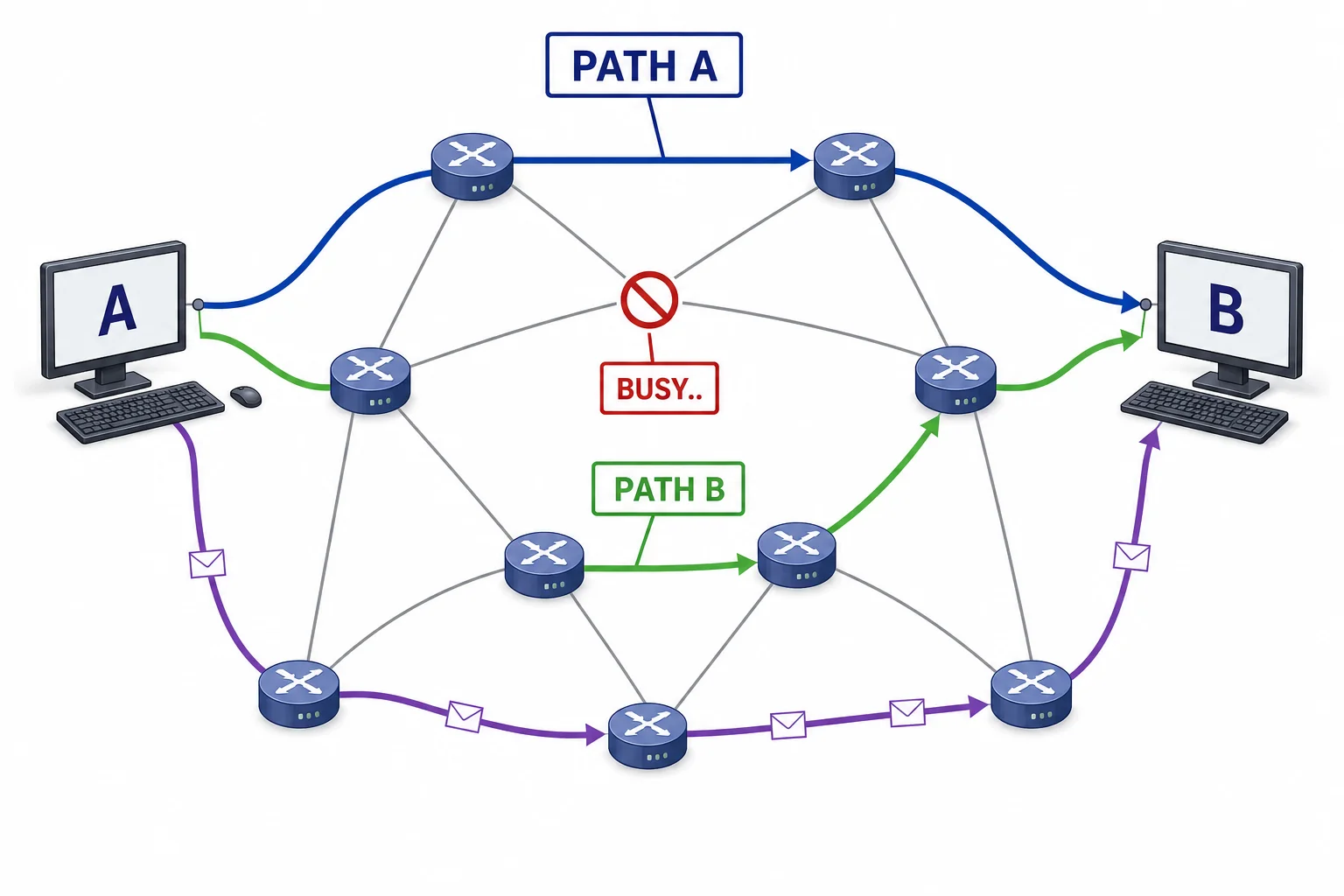
The internet keeps moving data by using the paths that are available.
TCP checks the delivery
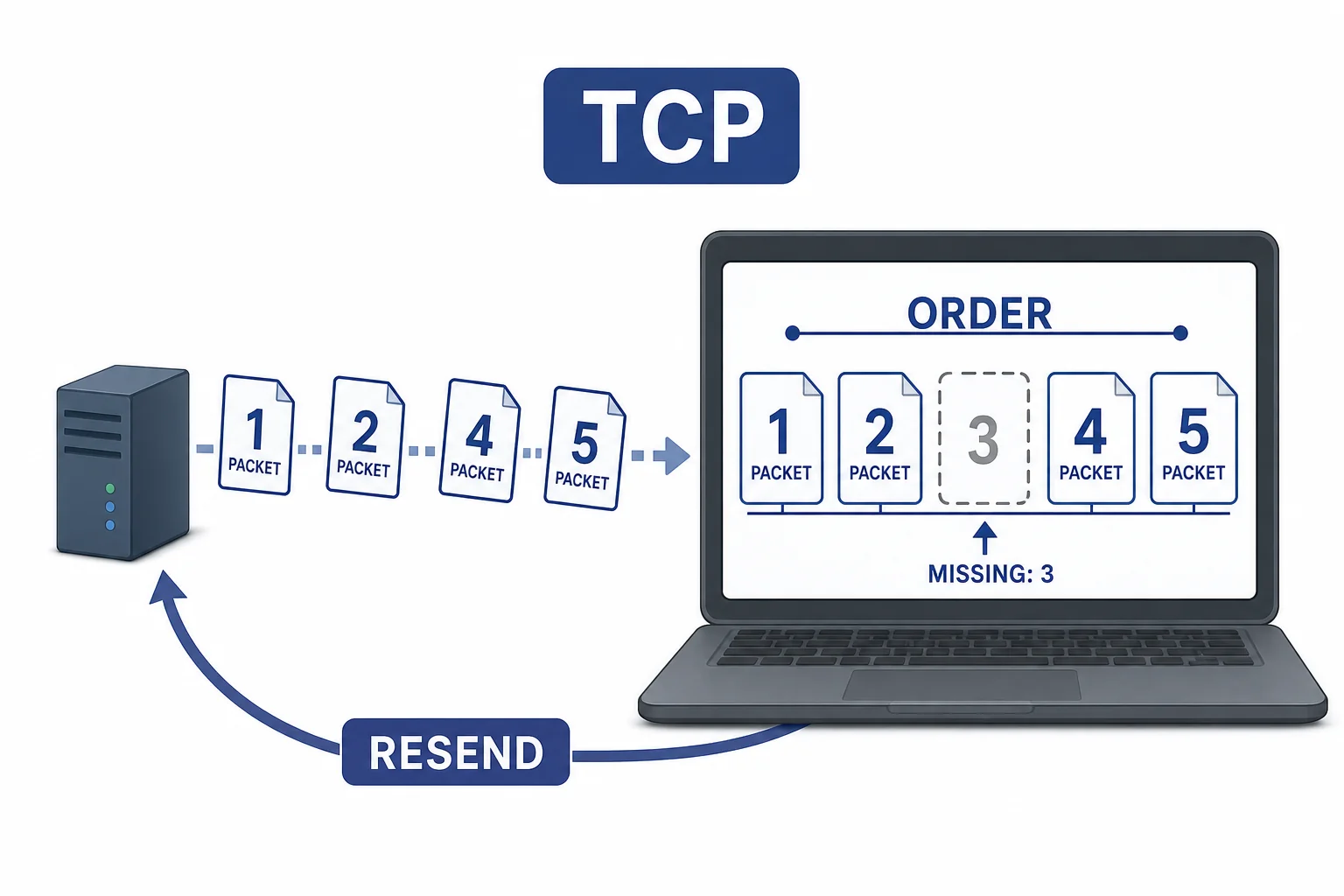
TCP helps the receiver rebuild a complete message.
IP finds the address
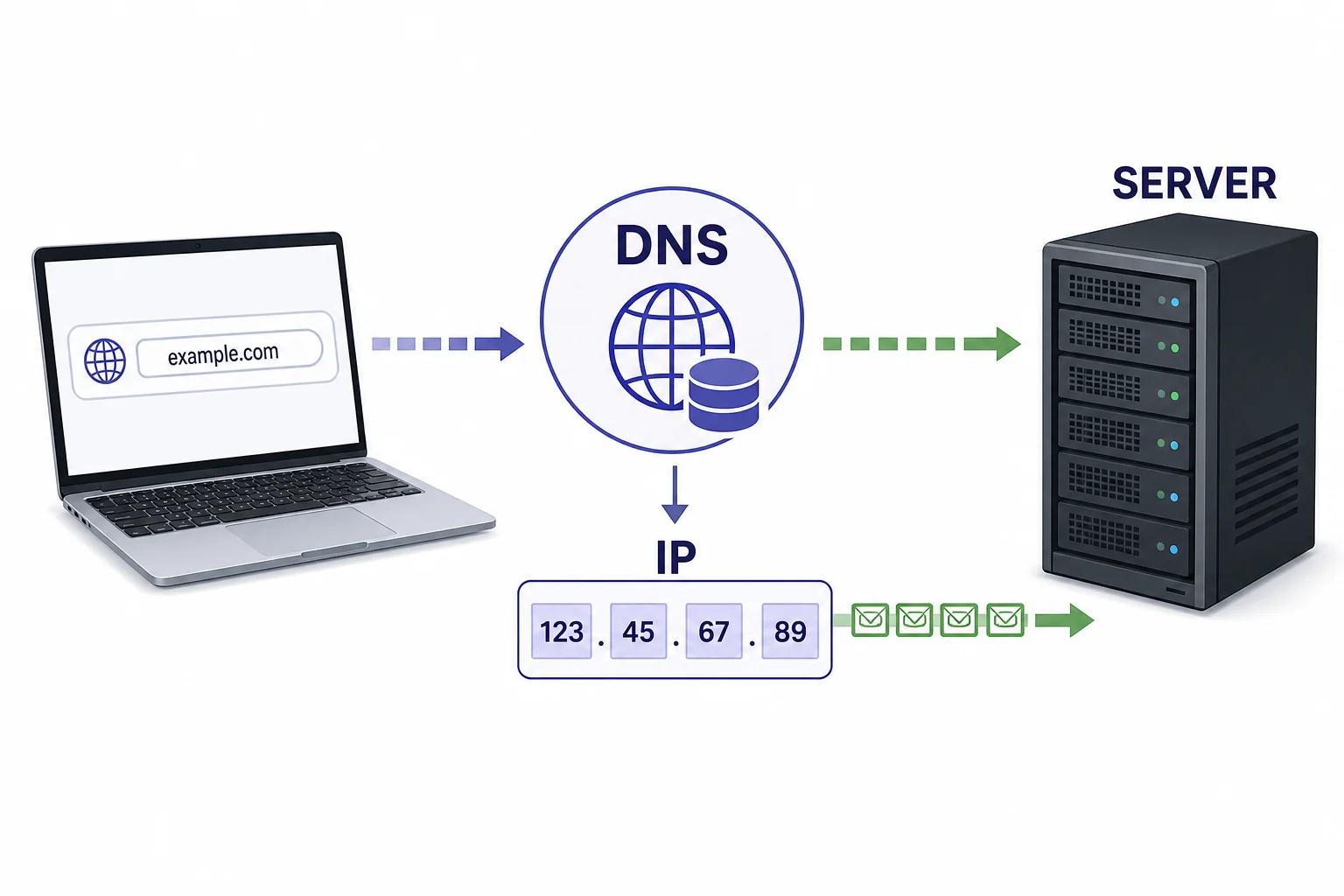
IP handles addressing so packets can be routed across networks.
Vocabulary
- Packet
- A small piece of data that carries part of a message plus information about where it should go.
- Router
- A network device that forwards packets toward their destination.
- Hop
- One move a packet makes from one router or network device to the next.
- TCP
- A set of rules that can number packets, check delivery, and help resend missing data.
- IP address
- A network address that helps packets find a device or server.
- Packet switching
- A method of sending data by splitting it into packets that share network links with other packets.
In the Classroom
Human Packet Network
25 minutes | Grades 6-8
Students write a short message, cut it into numbered packet cards, and pass cards through classmates acting as routers. Add a blocked path or crowded path so routers must choose a different next hop.
Trace the Hops
20 minutes | Grades 6-8
Students draw a simple map of a device, home router, internet provider, data center, and destination server. They label each hop and explain why a nearby message might still travel through several networks.
Rebuild the Message
15 minutes | Grades 6-8
Give groups packets from a mixed-up message, with one packet missing. Students use packet numbers to rebuild the message and describe what TCP would do when a piece is missing.
Key Takeaways
- • The internet sends messages by splitting data into packets.
- • Routers move packets one hop at a time toward their destination.
- • Packets from one message can take different paths through the network.
- • TCP can help check delivery, resend missing packets, and restore order.
- • IP addresses help networks send packets to the right device or server.