Sign in to save

Bookmark this page so you can find it later.

Sign in to save

Bookmark this page so you can find it later.

Computer Science middle-school May 24, 2026

How Does Wi-Fi Carry Photos Through the Air?

Radio waves move bits in planned chunks
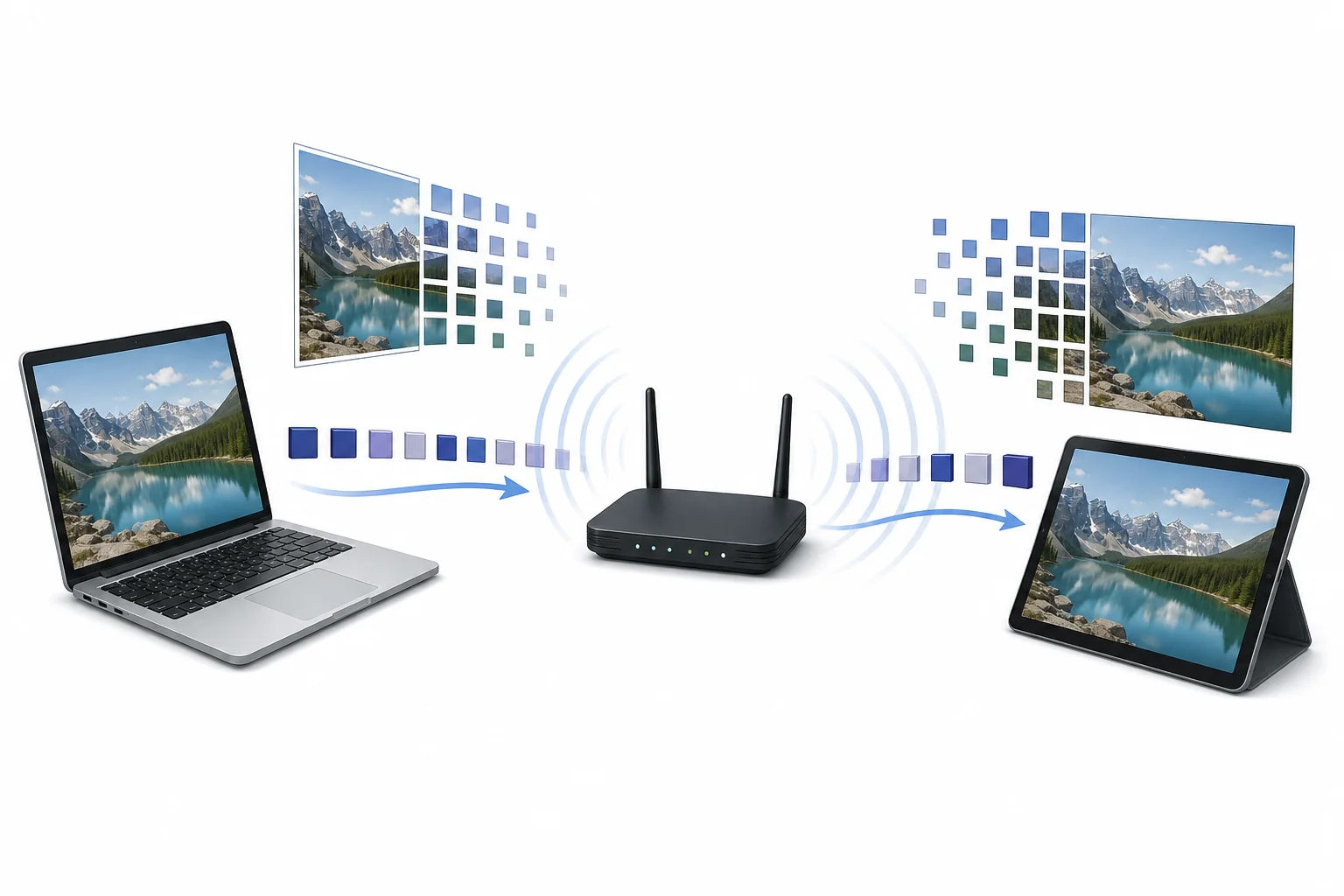
A router sending radio wave patterns between a tablet displaying a photo and a laptop receiving the same photo data.

Wi-Fi sends a photo by turning its ones and zeros into tiny changes in radio waves. A router and device agree on timing, then send the data in small chunks. Walls, distance, and other signals can weaken or mix up the radio waves, so devices may slow down or resend chunks.

Big Idea. CSTA 2-NI-04 connects Wi-Fi to how data is sent in packets across a network.

A photo on a phone looks like colors, shapes, and faces. Inside the device, it is stored as a long pattern of ones and zeros. Wi-Fi moves that pattern through the air using radio waves. The router and phone do not send the whole photo as one giant burst. They split the data into small parts, add addresses and checks, and send each part at a planned time. The radio wave changes in controlled ways so the receiver can read the ones and zeros. Wi-Fi commonly uses bands near 2.4 GHz and 5 GHz. That means the wave pattern changes billions of times each second. The exact speed depends on distance, walls, other devices, and how much noise is in the air. A strong connection can move many chunks quickly. A weak connection may repeat chunks until the photo is complete.

A photo becomes data
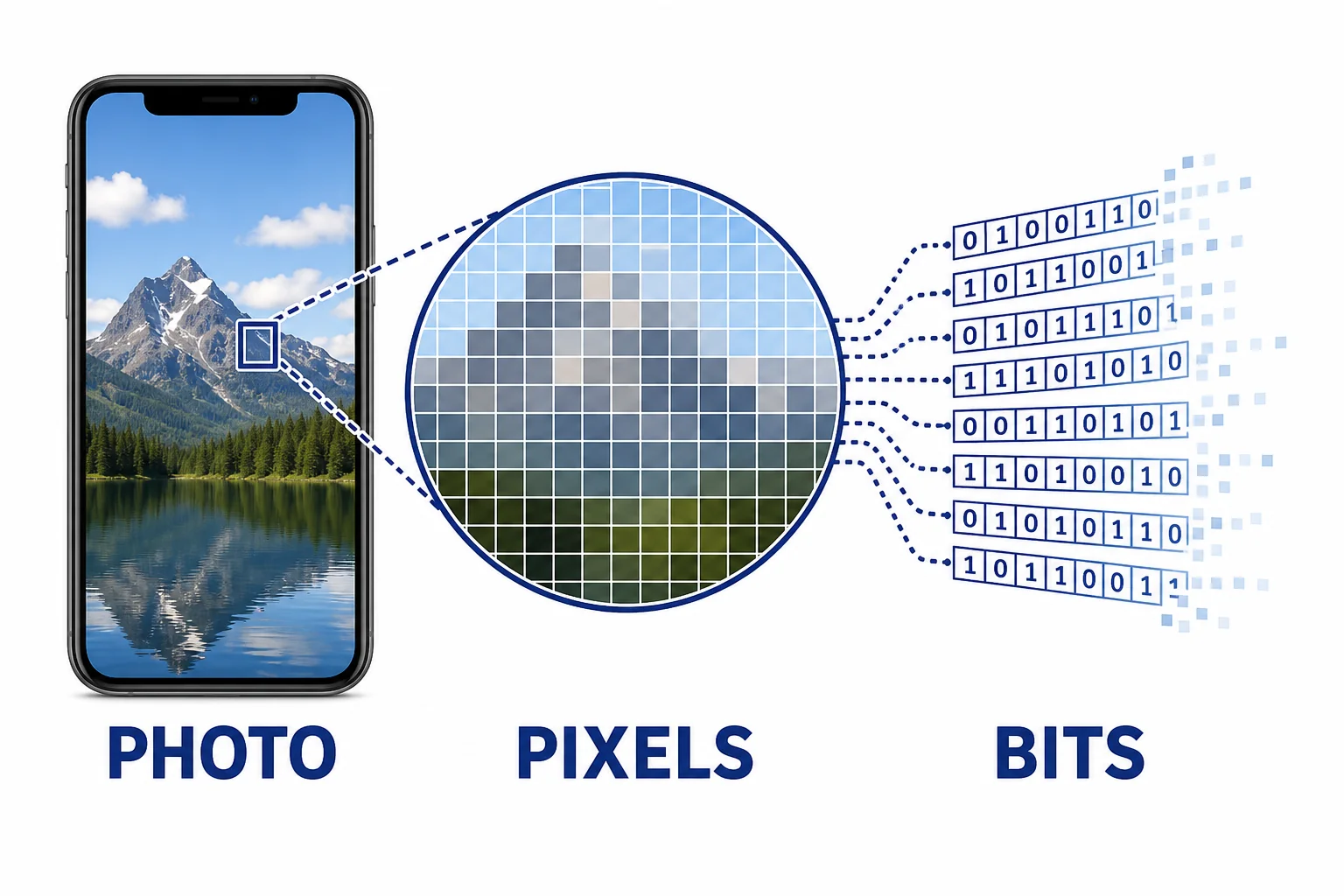
A photo on a phone broken into a grid of pixels, then represented as ones and zeros in small data blocks.
Photos are stored as numbers before they are sent.
Before Wi-Fi can send a photo, the device must represent the picture as data. A photo is made from many tiny picture elements called pixels. Each pixel has color information. The phone stores those colors as numbers. Those numbers become a long sequence of ones and zeros. The sequence is much too long to treat as one piece, so the networking software divides it into smaller units. Each unit can be handled, numbered, checked, and sent. This step matters because radio waves do not carry colors directly. They carry patterns that the receiver can measure. When the receiver gets all the needed data, software uses the numbers to rebuild the photo on the screen. If a few pieces arrive late, the device waits or asks for them again. The visible image depends on many small data choices working together.

Wi-Fi sends the data that represents the photo, not the colors themselves.

Radio waves carry patterns
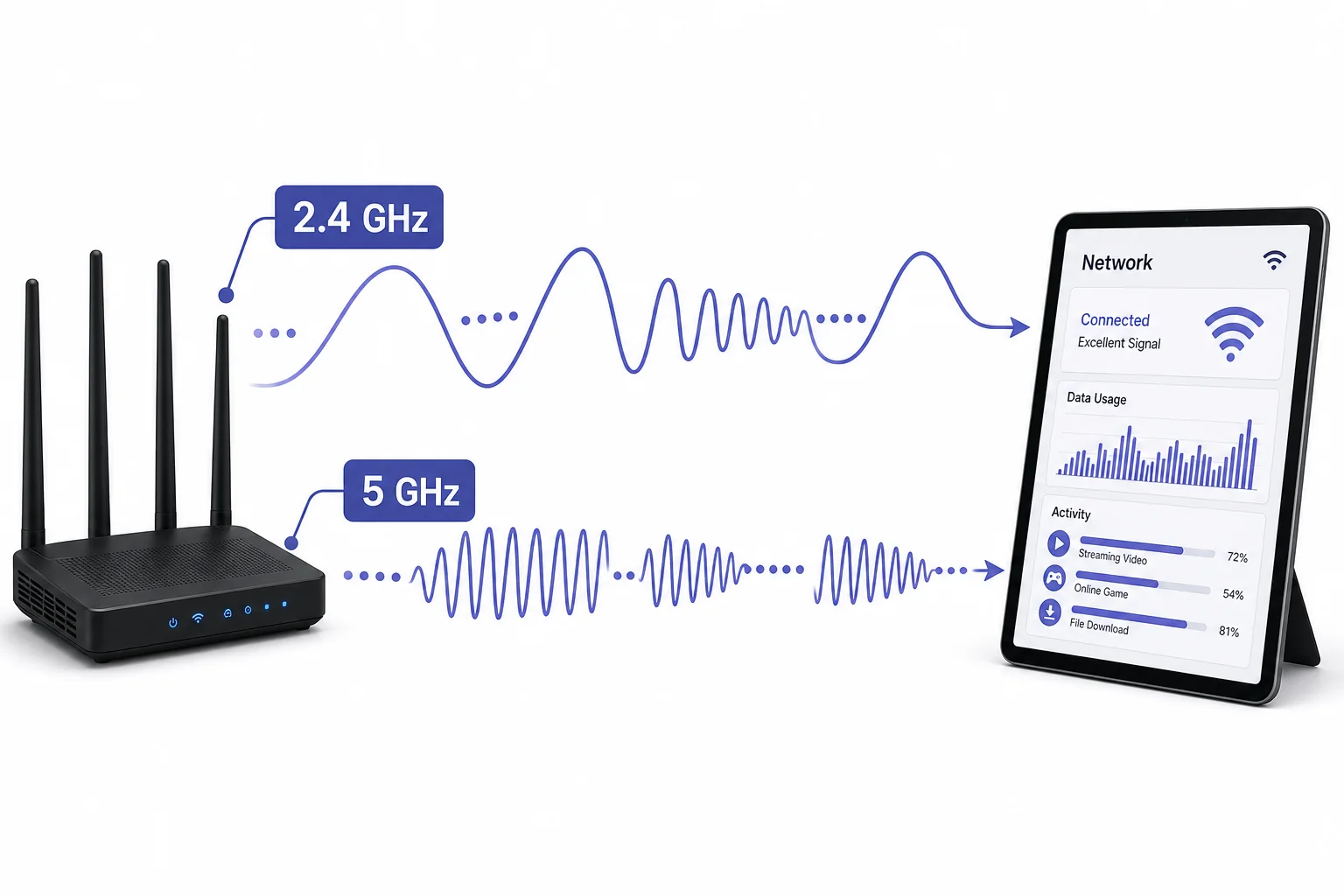
Two radio wave bands shown between a router and tablet, with wave patterns changing to represent data.
Modulation changes a radio wave so it can represent bits.
Wi-Fi uses electromagnetic waves in radio bands. Many home networks use signals near 2.4 GHz or 5 GHz. A hertz means one cycle each second, so 2.4 GHz means about 2.4 billion cycles each second. The router creates a steady radio wave, then changes parts of it in careful ways. Those changes can include timing, height, or position in the wave cycle. This process is called modulation. The receiver measures the changing wave and turns the pattern back into ones and zeros. Higher frequency bands can often carry more data under good conditions, but they may lose strength faster through walls. The device and router also choose a channel within the band. That channel helps separate one Wi-Fi conversation from another nearby conversation. The air can contain many radio signals at the same time, so clear timing and coding are important.

The wave is the carrier, and the changing pattern is the message.

Frames and packets organize the trip
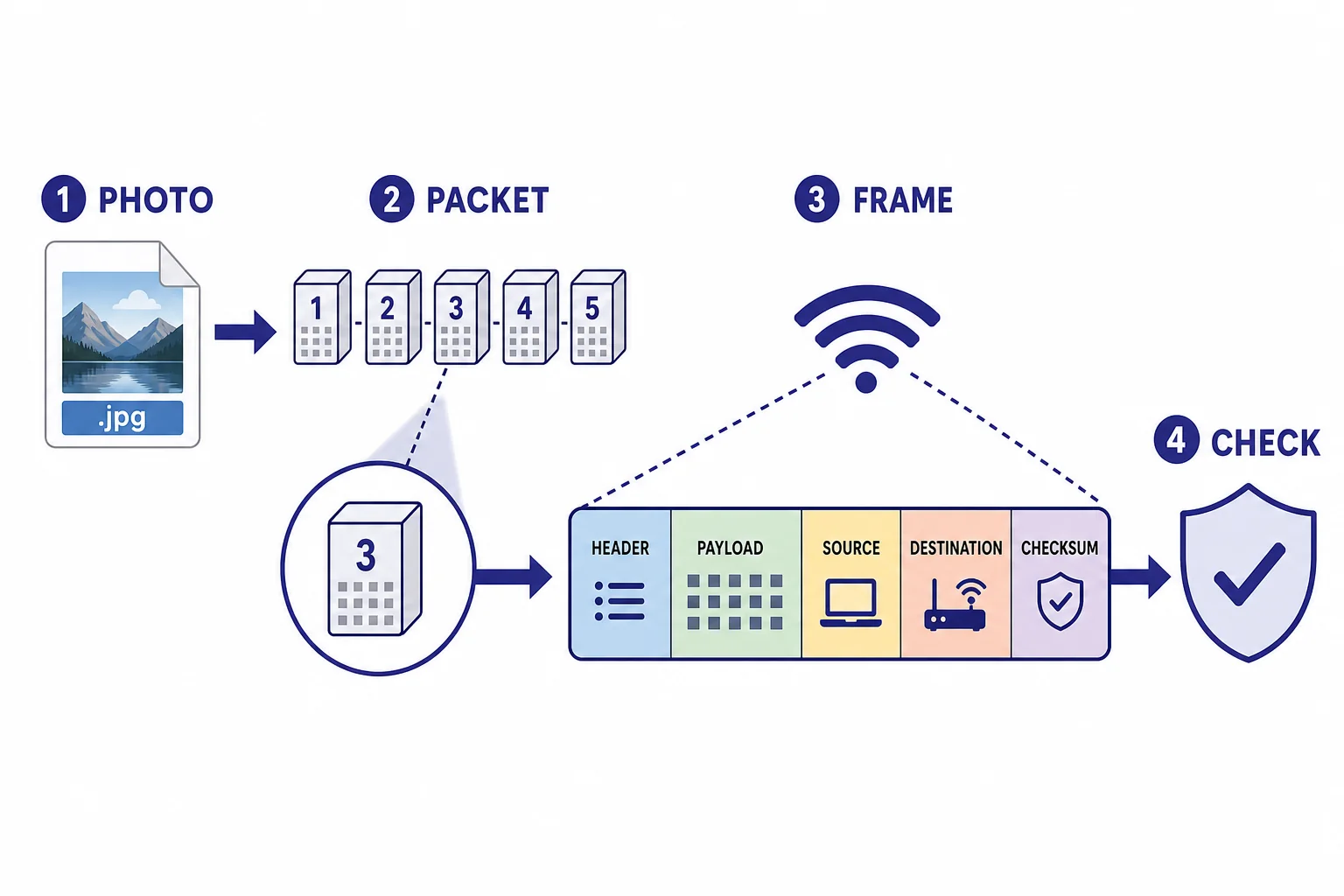
A photo file divided into packets, with each packet placed inside a Wi-Fi frame that includes addresses and error check fields.
Frames add instructions around each data chunk.
A photo is split into many small chunks before it travels across a Wi-Fi network. In networking, a chunk of data is usually carried inside a packet. On Wi-Fi, each packet is placed inside a frame for the radio link. A frame includes more than photo data. It also includes information such as the sender address, receiver address, order, and checks that help find errors. This structure helps devices share the same air without constant confusion. A router may send a frame, wait for a short reply, then send the next one. If the reply does not come, the router can try again. The packets may also travel beyond the Wi-Fi router if the photo is being uploaded to the internet. Each network step handles the data in its own way. The final device uses the packet order and file information to put the photo back together.

Small chunks make it easier to send, check, and resend data.

Walls weaken the signal
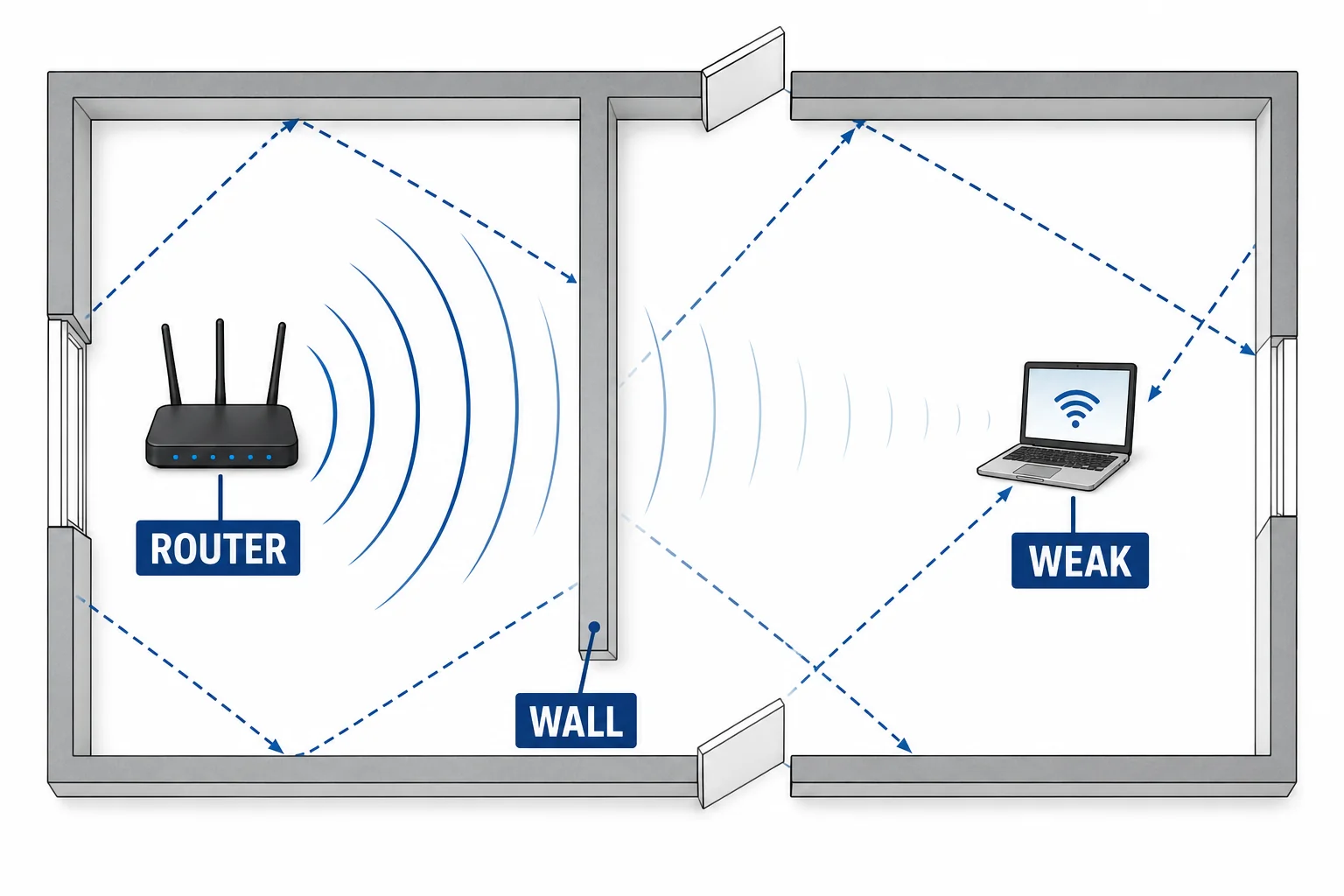
Wi-Fi radio waves from a router weakening as they pass through walls and reflect around a room before reaching a laptop.
Walls and distance reduce the signal that reaches a device.
Radio waves spread out as they move away from the router. That spreading lowers the signal strength at the receiver. Walls, floors, furniture, and people can lower it more. Some materials absorb part of the wave energy. Others reflect waves and send copies along different paths. The receiver may get a direct signal plus reflected signals that arrive slightly later. These overlapping signals can blur the pattern the device is trying to read. Wi-Fi can handle some fading and reflection, but not all of it. The 5 GHz band often has a shorter useful range through walls than the 2.4 GHz band. That does not make one band always better. A nearby 5 GHz device may be fast because there is more room for data. A distant device behind several walls may work better on 2.4 GHz because the signal keeps more strength.

A weaker signal makes the data pattern harder to read correctly.

Errors slow the transfer
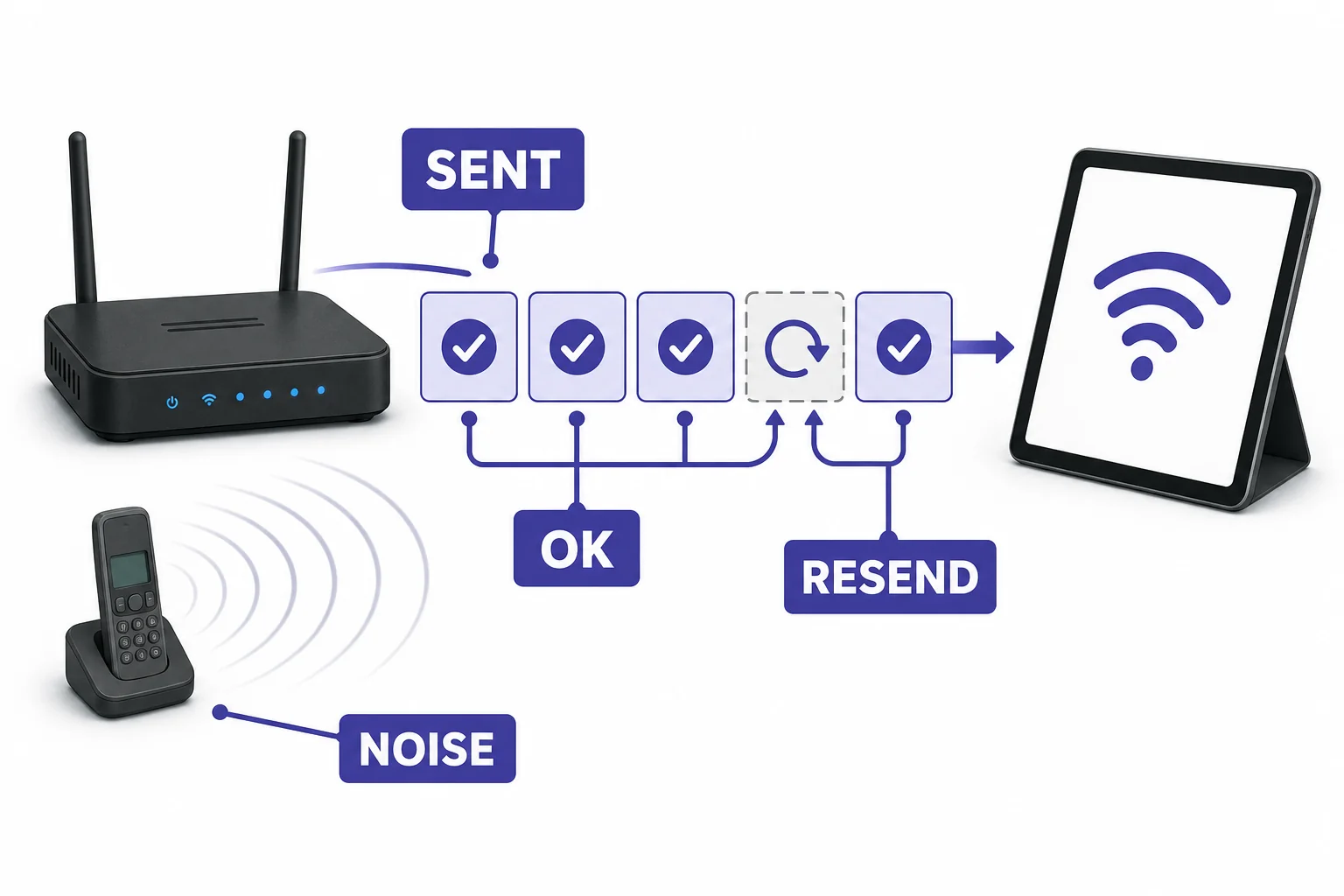
A router resending one failed frame while other frames are confirmed by a tablet, showing checks and acknowledgments.
Bad chunks can be detected and resent.
Wi-Fi does not assume every frame arrives perfectly. Each frame includes a check value that helps the receiver test whether the data changed on the way. If the check passes, the receiver can send a short confirmation. If the check fails or the frame is too weak to read, that chunk may be sent again. This is one reason a photo can still load in a crowded room, but more slowly. The devices may also switch to a simpler signal pattern when conditions are poor. A simpler pattern carries fewer bits at a time, but it is easier to read. That tradeoff helps keep the connection working. Other nearby networks, microwave ovens, Bluetooth devices, and many users can add interference. Wi-Fi equipment listens before sending and takes turns when needed. The final photo appears only after enough correct chunks arrive and software rebuilds the file.

Reliable Wi-Fi depends on checking data, not just sending it once.

Vocabulary

Wi-Fi
A set of wireless networking rules that lets devices send data using radio waves.
Radio wave
An electromagnetic wave with a frequency used for communication, broadcasting, radar, and other technologies.
Modulation
The process of changing a wave in a controlled way so it can carry information.
Packet
A small unit of data sent across a network, often with address and order information.
Frame
A Wi-Fi data unit that carries a packet across the local radio link and includes link information.
Interference
Unwanted radio signals or noise that make a useful signal harder to read.

In the Classroom

Packet a paper photo

25 minutes | Grades 6-8

Give groups a small grid image and have them write color numbers for each square. Students split the numbers into packets, add packet numbers, then trade with another group to rebuild the image.

Map signal blockers

20 minutes | Grades 6-8

Students sketch a classroom or home floor plan and mark where a router might sit. They predict which walls or objects could weaken a Wi-Fi signal, then compare their predictions to signal bars or a teacher provided map.

Act out checks and resends

15 minutes | Grades 6-8

One student sends numbered data cards to another across the room while a third student removes or changes a card. The receiver uses packet numbers and a check rule to find the problem and request a resend.

Key Takeaways

  • A digital photo is stored as numbers before Wi-Fi sends it.
  • Wi-Fi uses radio waves, often near 2.4 GHz and 5 GHz, to carry changing data patterns.
  • Modulation changes a radio wave so a receiver can read ones and zeros.
  • Packets and frames help devices organize, address, check, and resend data.
  • Walls, distance, reflection, and interference can weaken a signal and slow the transfer.