How Does a QR Code Pack So Much Info Into a Tiny Square?
A tiny grid that stores data with backup
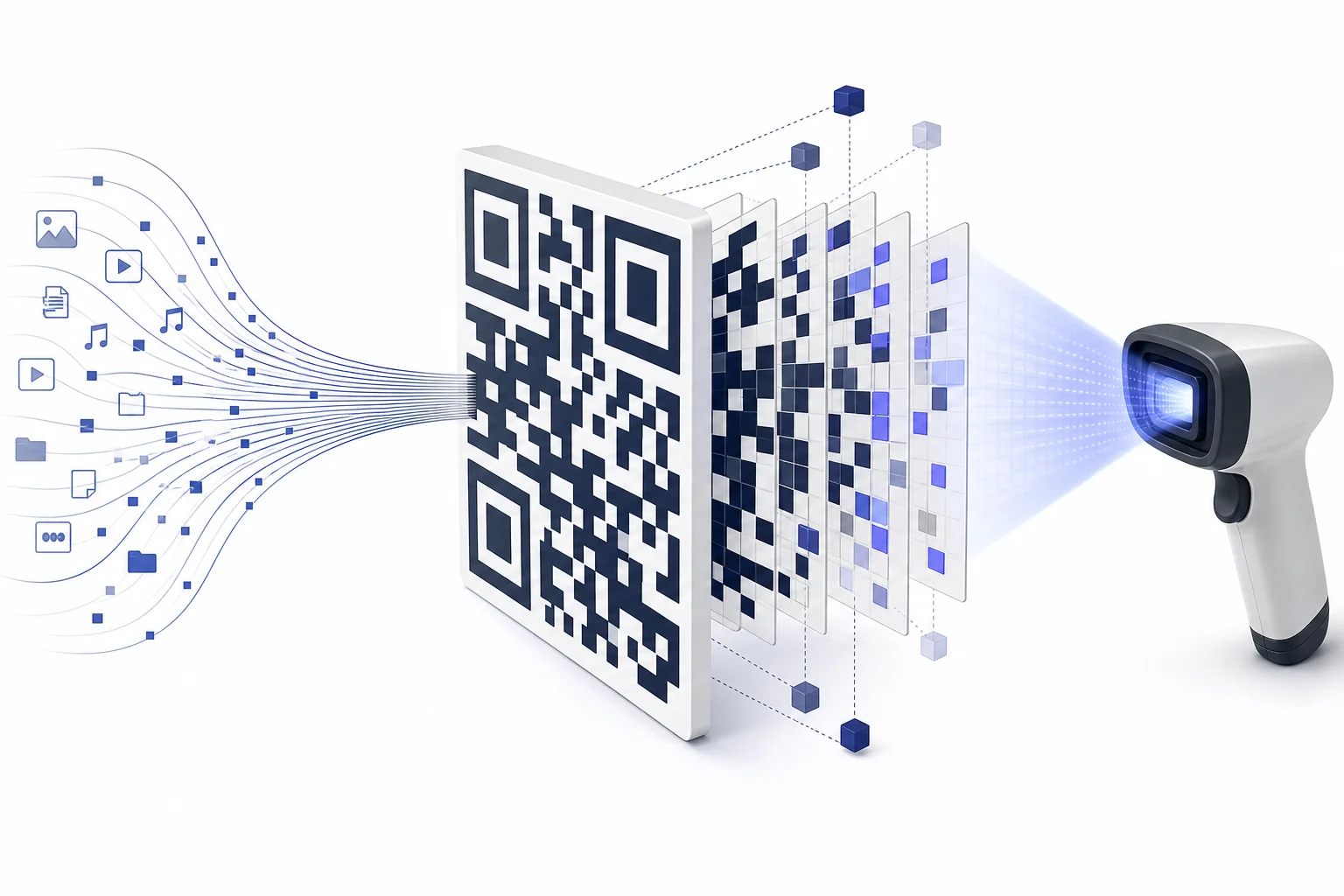
A QR code stores information by turning letters, numbers, or links into a pattern of black and white squares. A scanner reads the square in a set order and turns the pattern back into the original message. Extra backup pieces are mixed in, so the code can still work when part of it is dirty or torn.
A QR code looks like a tiny checkerboard, but it is a carefully planned data map. Each black or white square stands for a choice, much like a bit in a computer. Many of those choices together can describe a web address, a short message, contact information, or a payment link. The trick is that the squares are not placed at random. Some squares help the scanner find the code. Some describe the format. Others store the actual data. Still others act like backup information. That backup is why a code on a wrinkled poster can still open the right page. QR codes are a good middle-school example of encoding. They show how real devices turn information into patterns, then use algorithms to read those patterns back. The tiny square works because its design combines geometry, binary data, and error correction.
A grid made of bits
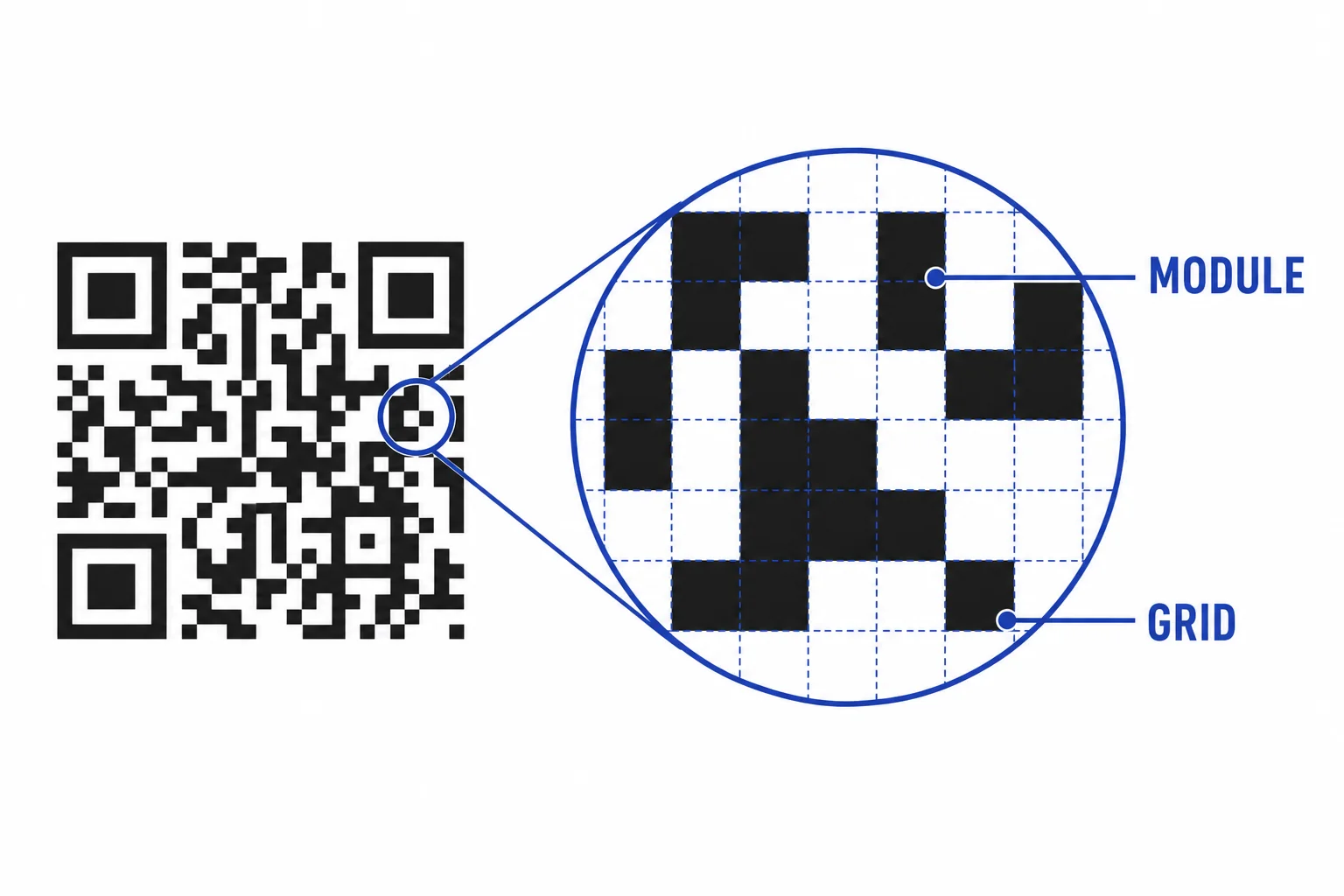
A QR code stores data by arranging many tiny black and white choices.
The scanner needs landmarks
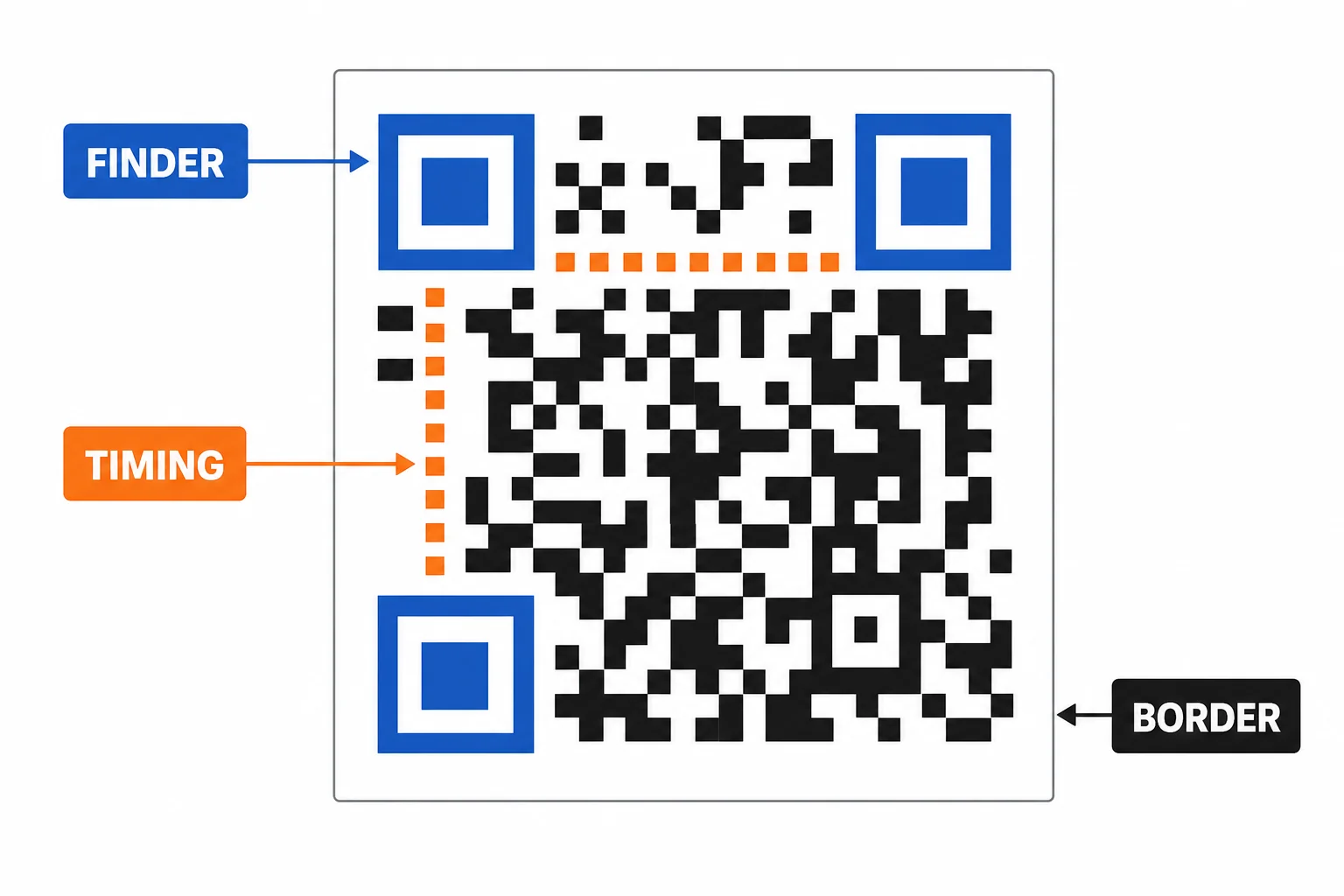
Special patterns help the camera line up the grid before it reads the data.
The message is encoded
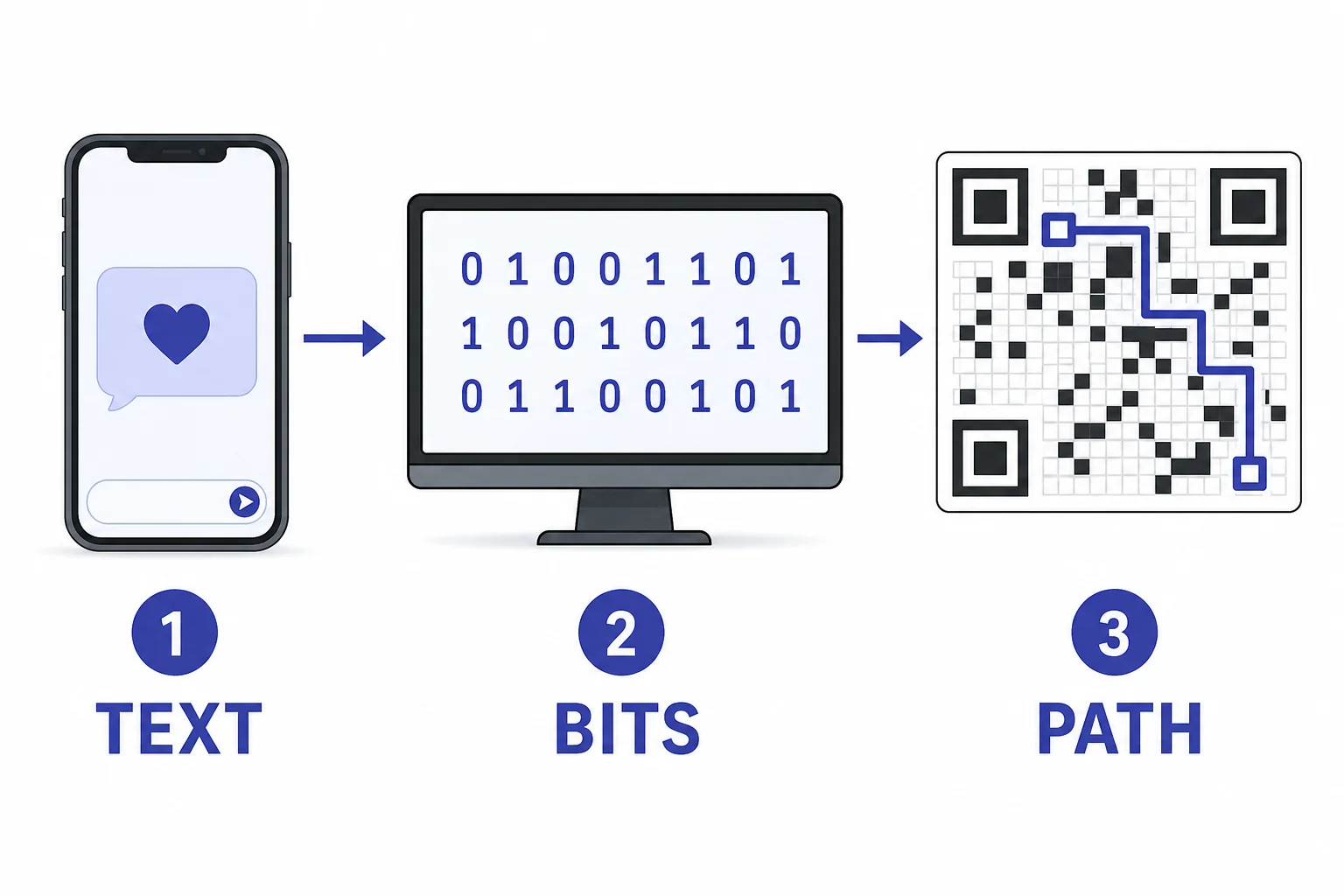
Encoding turns a message into bits, then places those bits in a set order.
Backup data fixes damage
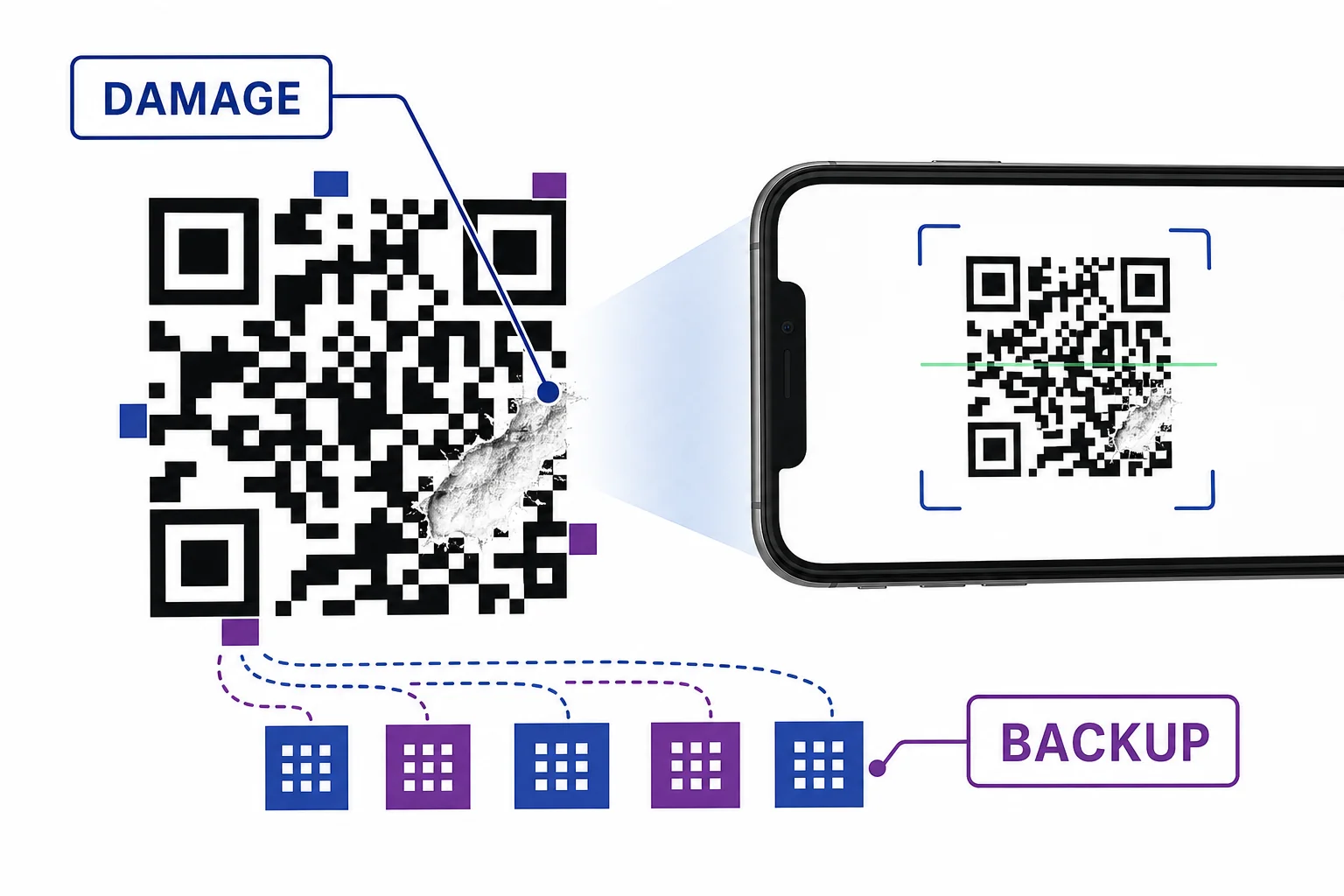
A QR code can trade storage space for a better chance of surviving damage.
Why the square stays small
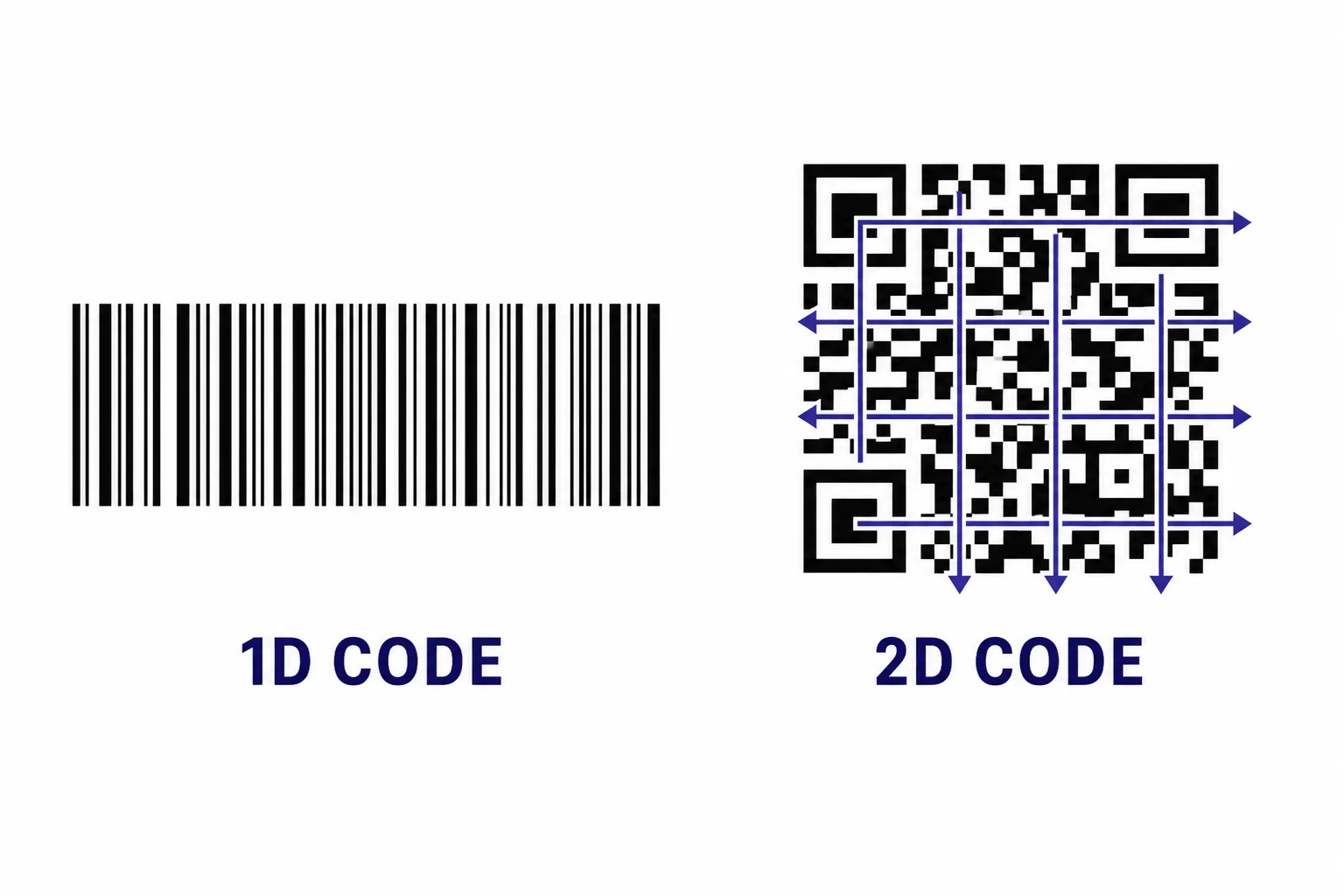
QR codes fit more data by using rows, columns, efficient encoding, and repair data together.
Vocabulary
- Module
- One small black or white square in a QR code grid.
- Encoding
- The process of changing information into a form a computer system can store or send.
- Finder pattern
- A large corner target that helps a scanner locate and line up a QR code.
- Error correction
- Extra information that lets a scanner recover some missing or damaged data.
- Reed-Solomon code
- A type of error correction that uses check values to help fix errors in stored or sent data.
- Mask
- A pattern used to flip some QR modules so the final code is easier for scanners to read.
In the Classroom
Make a paper bit grid
25 minutes | Grades 6-8
Students write a short word, change each letter into a simple binary code, and place the bits into a small grid. Then they trade grids and decode each other's messages using the same rule sheet.
Test damage tolerance
30 minutes | Grades 6-8
Students create a QR code for a class-approved text message or URL. They cover small parts of printed copies with sticky notes and record when the code still scans and when it fails.
Find the landmarks
20 minutes | Grades 6-8
Students compare several QR codes and color the finder patterns, timing patterns, border, and data area. They explain why the scanner reads location information before message information.
Key Takeaways
- • A QR code is a two-dimensional grid of black and white modules.
- • Some parts of the grid are landmarks that help the scanner find and align the code.
- • The message is turned into bits before it is placed into the grid.
- • Error correction adds backup information, so some damage can be repaired during scanning.
- • A QR code balances data capacity, readability, and damage resistance.