Why Does My Phone Get Hot When I Play Games?
Fast graphics turn battery energy into heat

Your phone gets hot because its chips use electricity to draw game scenes, run game rules, and send data to the screen. Some of that electricity turns into heat inside the phone. Faster games and brighter screens use more electricity, so the phone warms up more.
A game asks your phone to do many jobs at once. It tracks player input, runs the game world, draws 3D shapes, plays sound, uses the network, and lights the screen. The main chips that do this work are the CPU and GPU. They are tiny electronic circuits made from billions of switches called transistors. When those switches change between on and off, they use electrical energy. Some of that energy becomes useful work. Some becomes heat. Your hand feels that heat after it spreads through the phone frame, battery area, glass, and case. This is normal, but it has limits. If the phone gets too warm, the software slows the chips down to protect the parts and the battery. That slowdown is called throttling. The tradeoff is simple. More frames and richer graphics need more energy, and more energy use usually means more heat.
Games wake up the chips
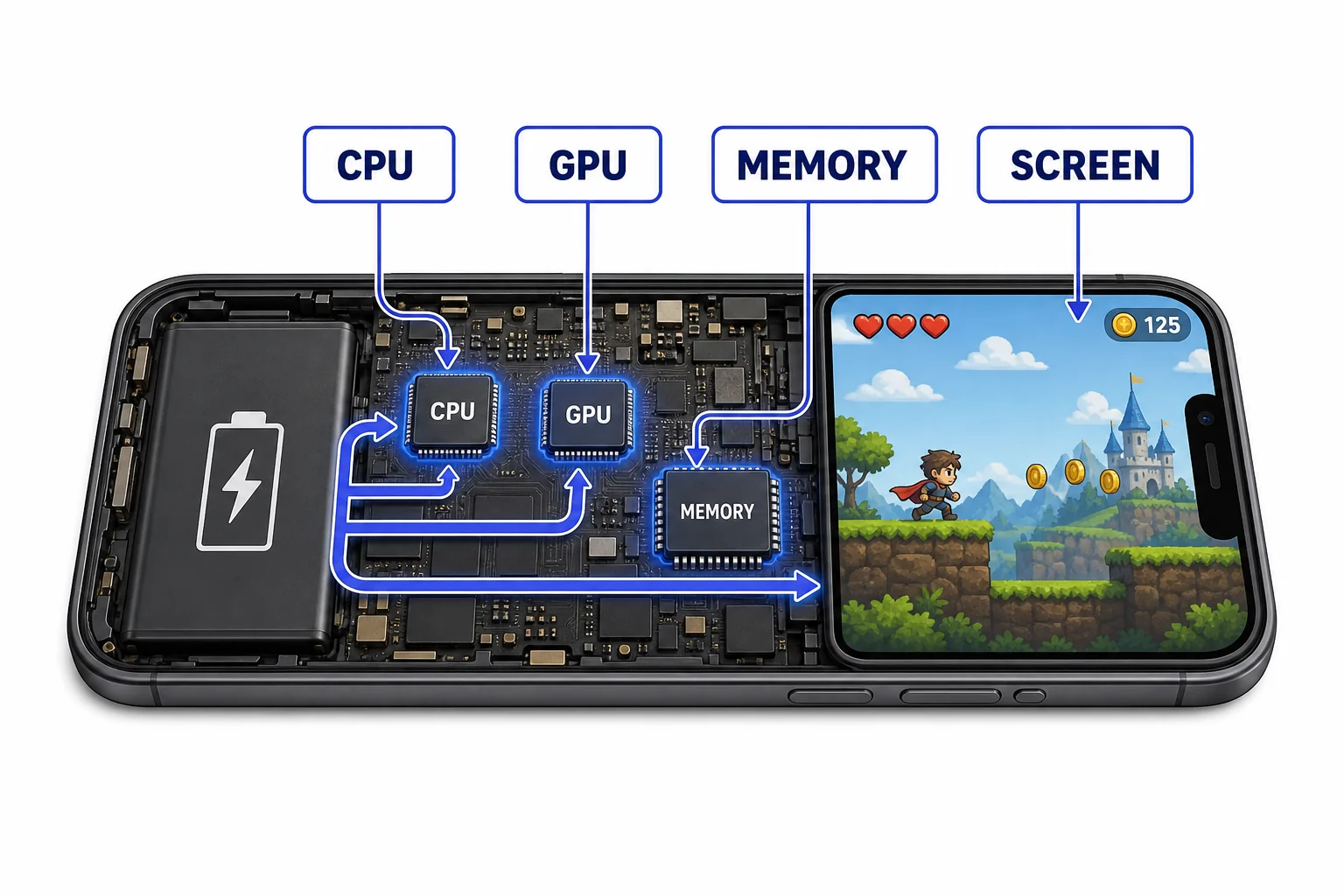
More active parts mean more energy use.
Switching makes heat
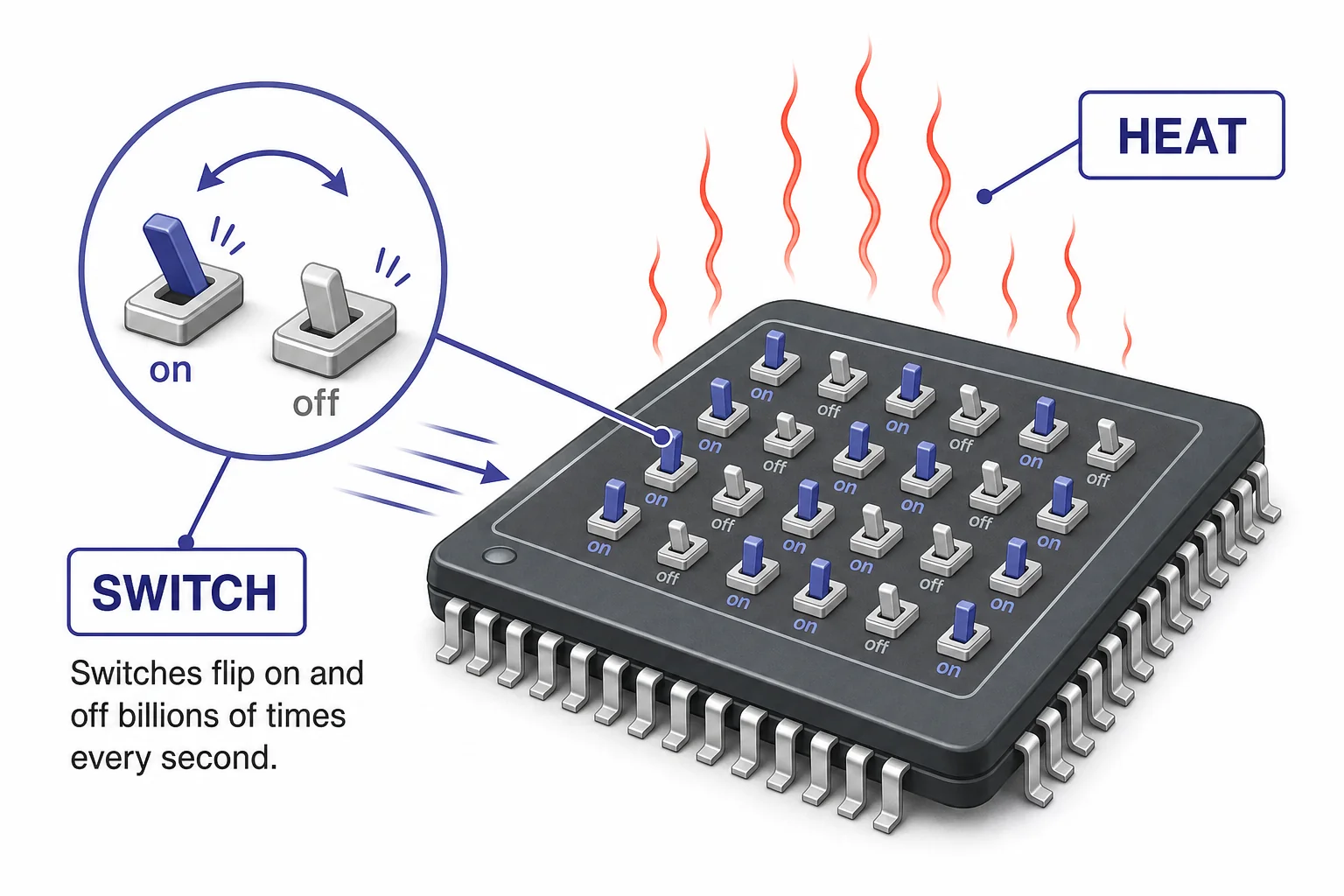
Tiny energy losses become large when billions of switches run fast.
Frame rate costs energy
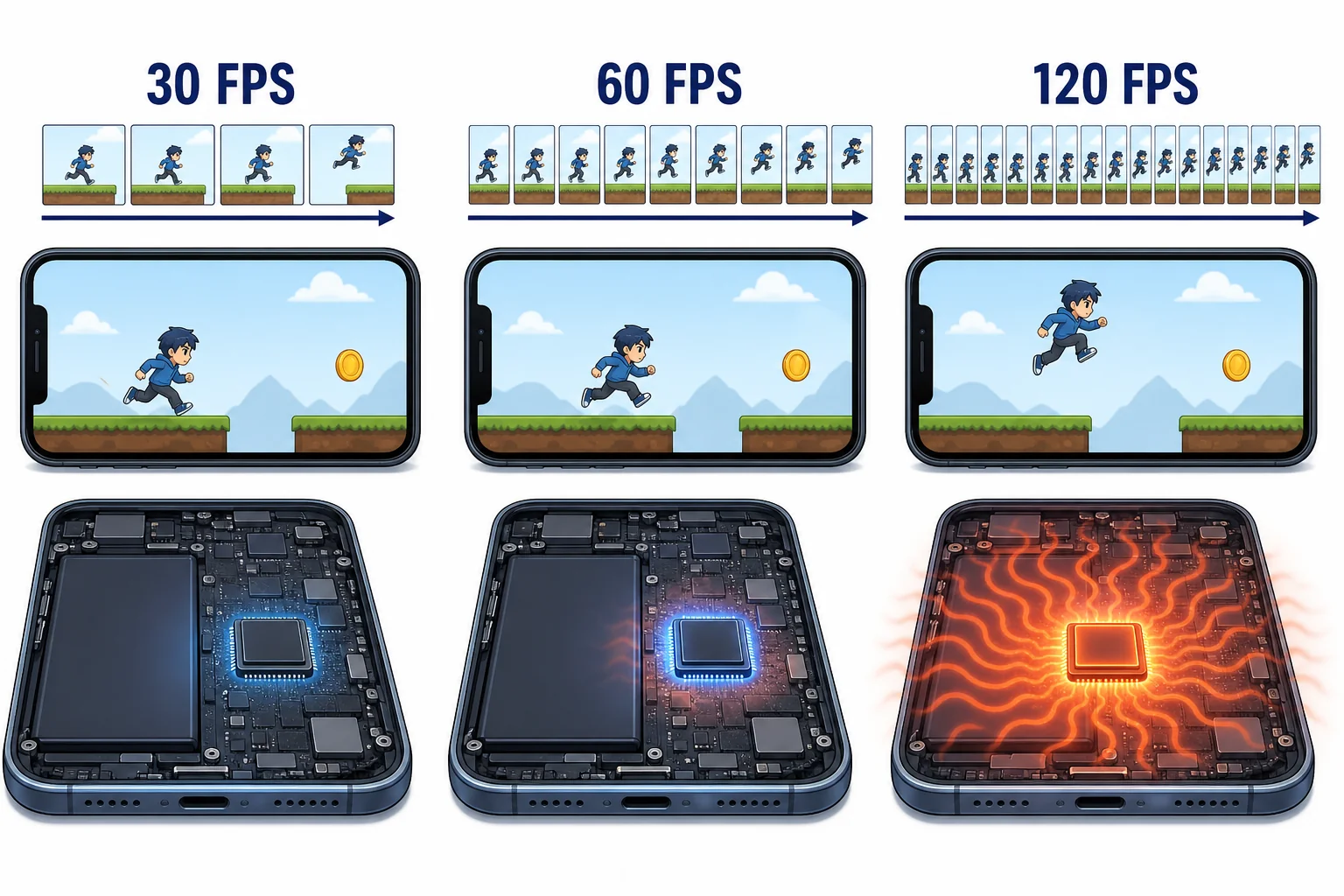
Smoother motion is not free. It takes extra energy.
Phones spread heat
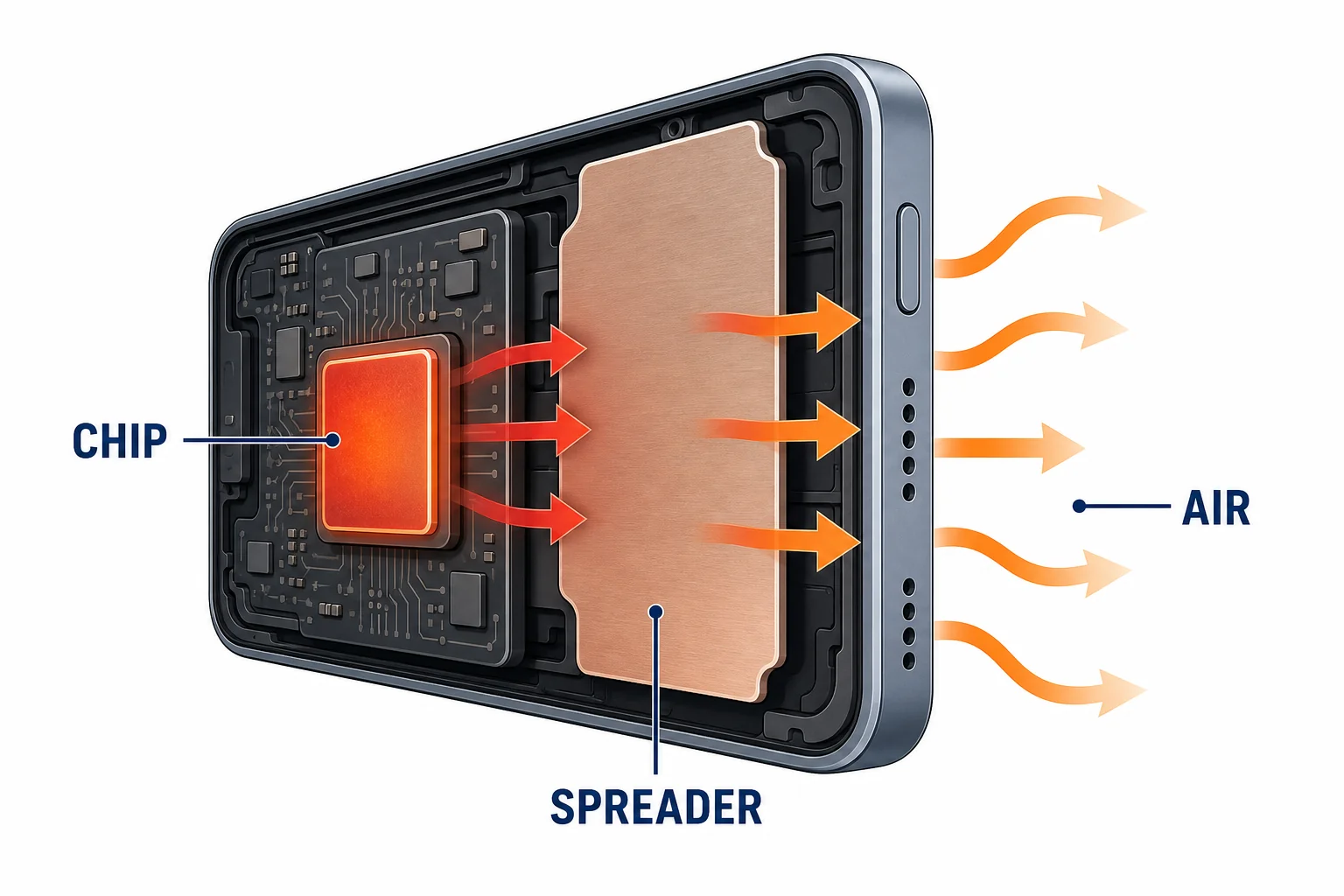
A warm case can mean the cooling path is doing its job.
Throttling protects the phone
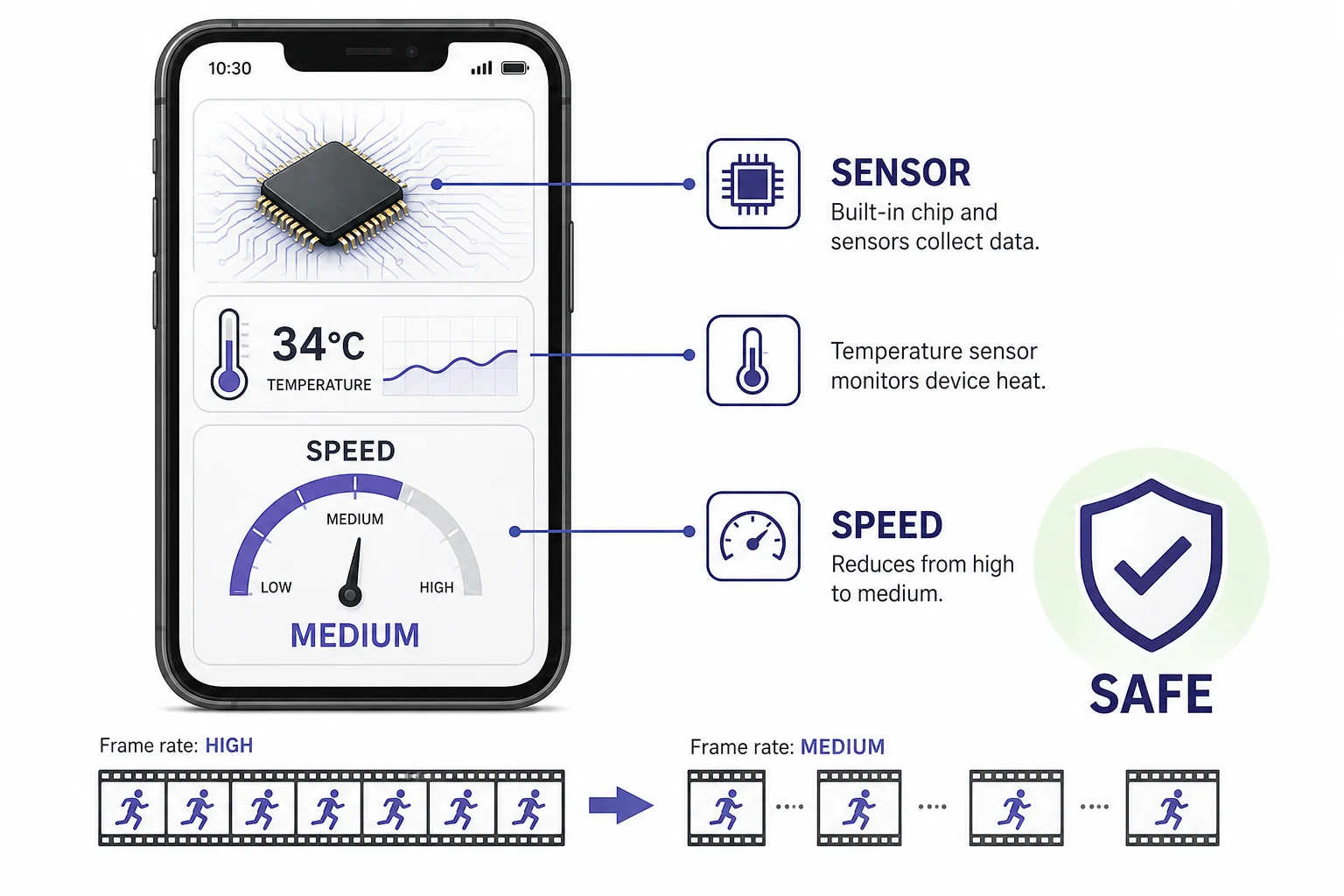
Slowing down can protect the chips and battery.
Vocabulary
- CPU
- The main processor that runs instructions for game rules, touch input, and many system tasks.
- GPU
- A processor designed to draw images and handle many graphics calculations at the same time.
- Transistor
- A tiny electronic switch inside a chip that helps store and change digital information.
- Frame rate
- The number of complete pictures a device draws and shows each second.
- Throttling
- A protective slowdown that reduces speed or power when a device gets too warm.
- Thermal design power
- An estimate of how much heat a computer design is built to handle during normal heavy use.
In the Classroom
Frame rate tradeoff chart
20 minutes | Grades 6-8
Students compare 30, 60, and 120 frames per second using simple multiplication. They estimate how many frames a phone draws in 1 minute and discuss why more frames can use more battery.
Safe temperature investigation
25 minutes | Grades 6-8
Students observe how a phone or tablet feels before and after a graphics-heavy activity, without using apps that overheat devices. They record conditions such as brightness, case on or off, and charging status, then identify variables that affect heat.
Design a cooling path
30 minutes | Grades 6-8
Students sketch a phone cross section that moves heat from a chip to the outside air. They label conduction paths and explain why a thin device has less cooling space than a desktop computer.
Key Takeaways
- • Games use the CPU, GPU, screen, memory, and network more than many simple apps.
- • Transistor switching inside chips turns some battery energy into heat.
- • Higher frame rates and richer graphics usually need more electrical power.
- • Phones spread heat through thin materials because they usually have no fan.
- • Throttling slows the phone to keep parts and the battery in a safer temperature range.