Classroom Store Lab
Run your own classroom store. Browse items with price tags, calculate totals using coins and bills, make exact change, and track every purchase in a data table.
Guided Experiment Running the Classroom Store
If you had $5 to spend at the store, which items would you choose? Predict the total cost and how much change you would receive.
Write your hypothesis in the Lab Report panel, then click Next.
Controls
Choose an Item
Purchase ✏️ Pencil - $0.25 each
Data Table
(0 rows)| # | Item | Price | Quantity | Total Cost | Payment | Change |
|---|
Reference Guide
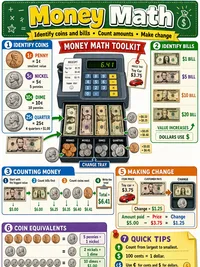
Coin and Bill Values
Calculating Totals
To find the total cost of several of the same item, multiply the price by the quantity.
Example, 3 pencils at $0.25 each
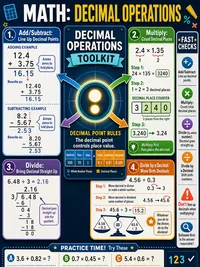
Always line up the decimal points when adding money amounts.
Making Change
Change is the amount you get back when you pay more than the price.
Count-up strategy, start at the price and count up to the payment amount.
Example, Item costs $0.75. You pay $1.00.
Staying on Budget
A budget is the most money you can spend. Keep a running total as you shop.
Add up all item totals and compare to your budget
If the remaining amount is positive, you are within budget. If it is negative, you have overspent.