Sales Tax and Discount Visualizer
Pick an item, set a discount and tax rate, and see exactly how much you pay. Explore the step-by-step math and find out whether applying the discount or the tax first changes your total.
Configure Your Purchase
Each step is labeled and explained.
Price Breakdown - T-Shirt
$25.00 x 20% = $5.00
$25.00 - $5.00
$20.00 x 7% = $1.40
Price Comparison
Price
Price
Pay
You save $3.60 (14.4% off!)
Consumer Math Guide
Understanding Discounts
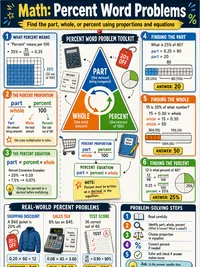
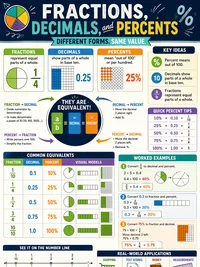
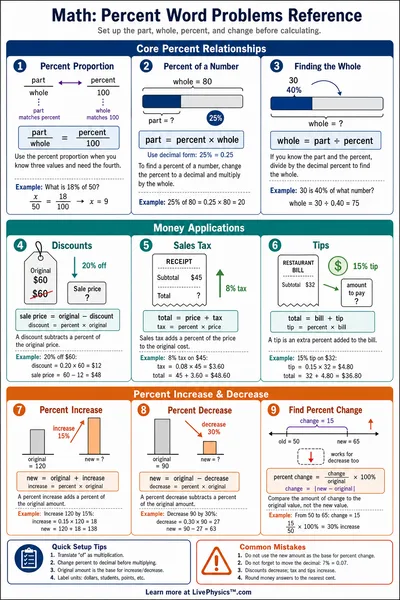
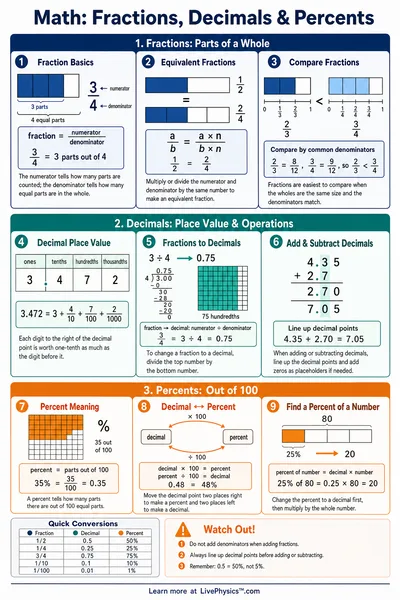
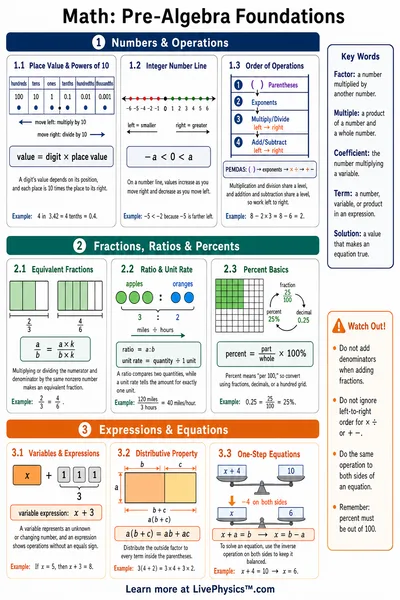
A discount reduces the original price by a percentage. A 20% discount on a $50 item means you subtract 20% of $50 (which is $10), leaving a sale price of $40.
Formula, Sale Price = Original Price x (1 - Discount / 100)
- 10% off $80 = $72
- 25% off $60 = $45
- 50% off $120 = $60
Watch out, two discounts in a row do not add up. A 20% discount followed by a 10% discount is 28% total, not 30%.
How Sales Tax Works
Sales tax is a percentage added to the purchase price by your state or city. It funds public services like roads and schools.
Formula, Final Price = Sale Price x (1 + Tax Rate / 100)
- Oregon (0%) - no sales tax
- Texas (6.25%) - moderate rate
- Florida (7%) - common rate
- California (8.75%) - higher rate
Tax is calculated on the price you actually pay, not the original sticker price. If an item is on sale, tax applies to the sale price.
Smart Shopping Math
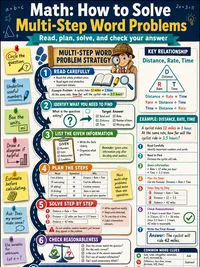
Real-world shopping involves combining discounts and taxes. Here are the steps to find what you will actually pay
- Start with the original price
- Subtract the discount amount
- Identify the sale price
- Add the sales tax amount
- The result is your final cost
A helpful shortcut, if an item is 20% off with 8% tax, you multiply by 0.80 and then by 1.08. You can also multiply by 0.864 in one step.