If/Then Choice Lab
Build IF/THEN/ELSE decision rules, test them with real-world scenarios, and discover how computers use conditional logic to make billions of decisions every second.
Guided Experiment If/Then Decision Rules Investigation
Before you start, predict, what happens in a computer program when the IF condition is false? Write your prediction.
Write your hypothesis in the Lab Report panel, then click Next.
Choose a scenario to explore
Decision Rule Weather Outfit
Test the Condition
Is it raining?
Controls
Reference Guide
What Is a Condition?
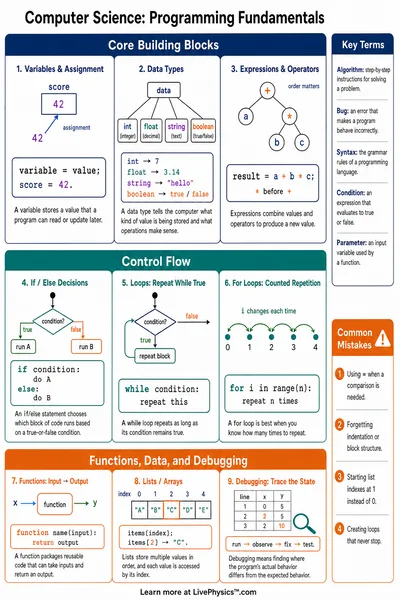
A condition is a question that a computer can answer with just two options, TRUE or FALSE.
Every IF statement checks a condition. The computer reads it and immediately decides which path to follow.
- TRUE conditions. The THEN branch runs.
- FALSE conditions. The ELSE branch runs.
IF/THEN/ELSE Structure
Every decision rule follows the same three-part structure
- IF block (blue). States the condition to check.
- THEN block (green). What happens when the condition is TRUE.
- ELSE block (amber). What happens when the condition is FALSE.
Only one of THEN or ELSE runs each time. Never both.
Conditions in Real Life
Computers use IF/THEN/ELSE rules constantly. Here are some examples you encounter every day
- Your phone locks after 30 seconds of no activity.
- A game adds a point only IF you hit the target.
- A crosswalk light turns white IF the button is pressed.
- A thermostat turns on the heat IF the room gets too cold.
Nested Decisions
Sometimes a THEN or ELSE branch contains another IF/THEN/ELSE rule inside it. This is called nesting.
Example
- IF it is raining THEN put on a raincoat.
- IF it is also cold THEN add a warm hat.
- ELSE just wear the raincoat.
Nested rules let computers handle more complex situations by checking multiple conditions in order.