Traffic Flow Optimizer
Run a microsimulation of cars on a closed loop using the Intelligent Driver Model. Switch on a traffic light, watch stop-and-go waves form, sample the fundamental diagram, and sweep green-time to find the value that pushes the most vehicles per hour through the sensor.
Road View
Simulation Controls
Fundamental Diagram
Teal curve is the IDM equilibrium prediction. Amber dots are simulated samples.
Throughput
Click Find best green-time to sweep durations and find the value that maximises throughput.
Space-Time Diagram
Stop-and-go waves appear as parallel red bands moving backward in time.
Reference Guide
The Intelligent Driver Model
Each driver picks an acceleration that balances the desire to reach a target speed with the need to keep a safe gap to the car ahead. The two terms add up like this.
The desired minimum gap depends on current speed and the approach rate to the leader.
Symbols. v is current speed, v₀ is desired speed, s is gap to leader, Δv is approach speed, s₀ is jam spacing, T is time headway, a_max is max acceleration, b is comfortable braking.
The Fundamental Diagram
Flow q (vehicles per hour) equals density ρ (vehicles per km) times mean speed.
At low density cars are free and flow rises with density. After a critical density the road jams and flow drops back toward zero. The peak is the road capacity.
Drag the number-of-cars slider with traffic light off. Sample points trace out an inverted U. With the traffic light on, points cluster below the free curve because each red phase wastes capacity.
Why Stop-and-Go Waves Form
On a busy road a small braking event by one driver forces the next driver to brake harder, and the next harder still, because each one reacts a little late and leaves a little extra margin. The disturbance amplifies upstream.
Open the space-time diagram and look for diagonal red bands drifting backward in time. Those are jam waves. They appear without any blockage on the road. Density is the cause.
Lowering desired speed or raising the time headway T usually damps the waves. Aggressive driving (small T, high a_max) tends to create them.
Real-World Applications
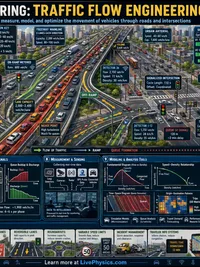
- Signal timing. The optimiser sweeps green duration. The peak bar shows how much capacity is left on the table by short or long greens.
- Ramp metering. Holding a steady inflow rate below the critical density keeps the freeway in the free-flow branch of the fundamental diagram.
- Highway capacity studies. The peak of the diagram is typical road capacity, around 1900 to 2200 vehicles per lane per hour for real freeways.
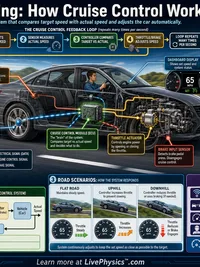
- Adaptive cruise control. Reducing T and increasing reaction speed across all cars suppresses phantom jams. Try it by lowering T toward 0.5 s.
- Public works planning. Knowing where a network bottlenecks helps engineers decide whether to widen, re-time, or restrict access.
Reading the Dashboard
| Panel | What it shows |
|---|---|
| Road view | Cars on a 1 km loop. Colour goes red (slow) to green (fast). |
| t, v̄, ρ readout | Simulation time, average speed, density of cars on the road. |
| Fundamental diagram | Each amber dot is one 5-second sample of (density, flow). Teal curve is the IDM equilibrium prediction. |
| Throughput | Cars per hour passing a fixed sensor at 100 m on the loop. |
| Space-time diagram | Each line is one car. Red bands moving backward are stop-and-go waves. |
| Optimiser bars | Throughput at each green-time. Tallest bar is the recommended setting. |