How Do Touchscreens Know Where You Tap?
Electric fields make taps measurable
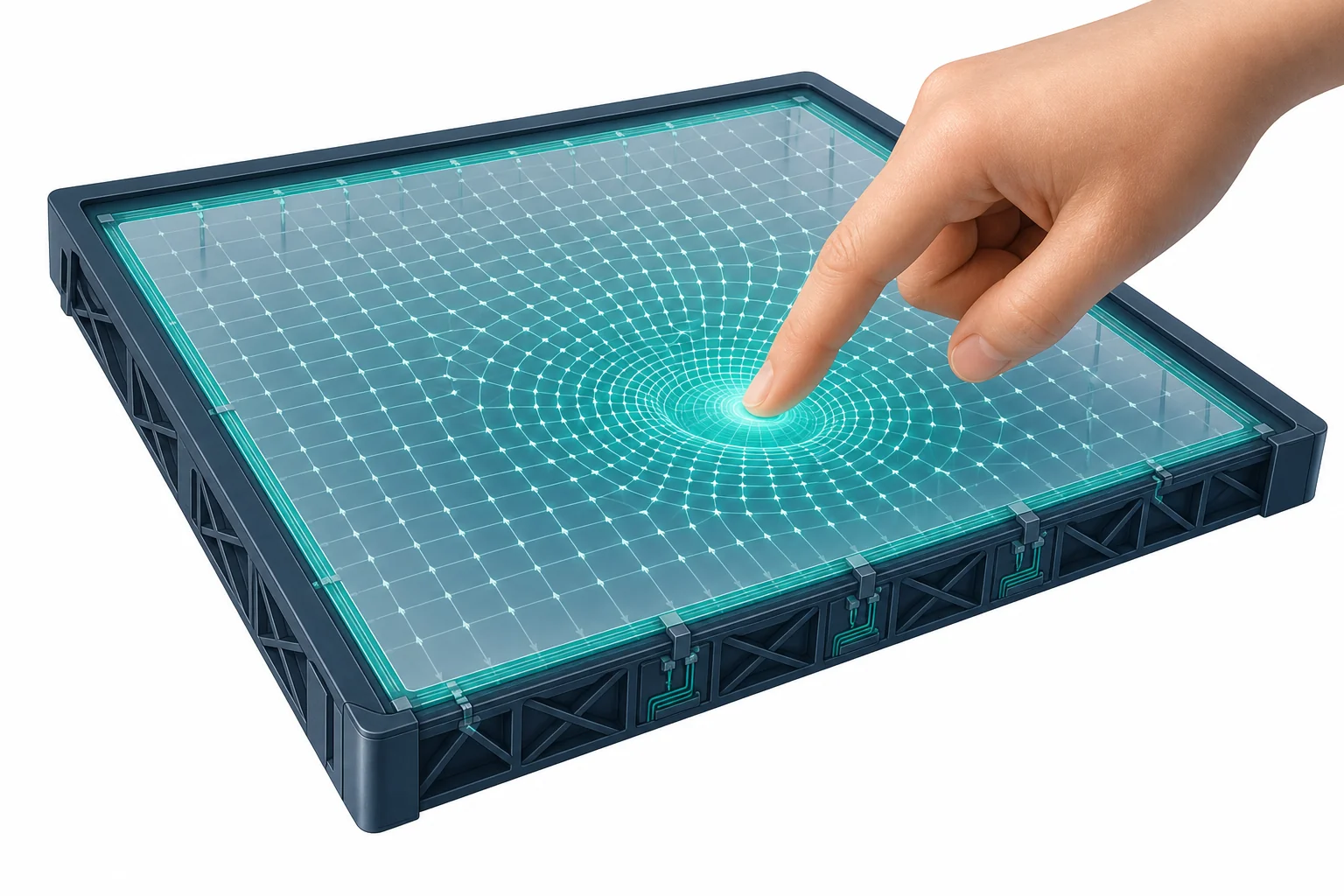
A touchscreen is covered by tiny invisible squares that hold a small electric charge. Your finger changes the charge near the spot you touch. The phone checks the squares very fast and turns that change into a tap location.
A tap on a screen feels like a tiny physical push, but the phone is not mainly feeling pressure. Most phone and tablet screens use electricity to locate your finger. Under the glass is a grid of clear conductors. The grid stores tiny amounts of electric charge, a bit like many small capacitors spread across the screen. Your body can conduct charge, so your finger changes the electric field near one part of the grid. The device measures that change and finds the row and column where it happened. This is a physics problem about forces that act through space. It also connects to everyday design, since the screen must ignore dust, glass, and small mistakes while still noticing a fast tap. You can explore related charge ideas with the LivePhysics tools and compare them to how a phone turns a field change into a location.
A screen hides a grid
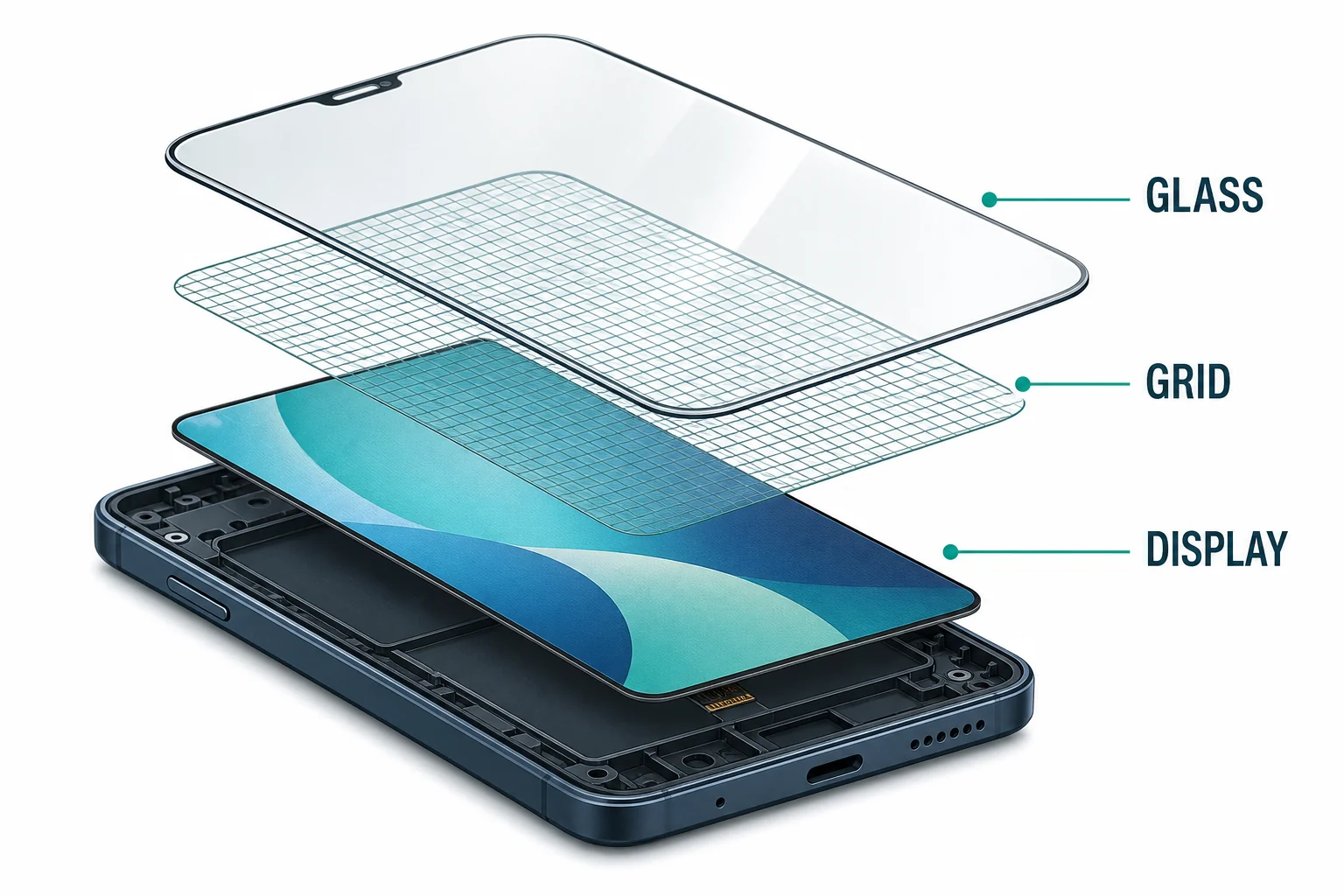
The screen senses position with a clear conducting grid.
Tiny capacitors store charge
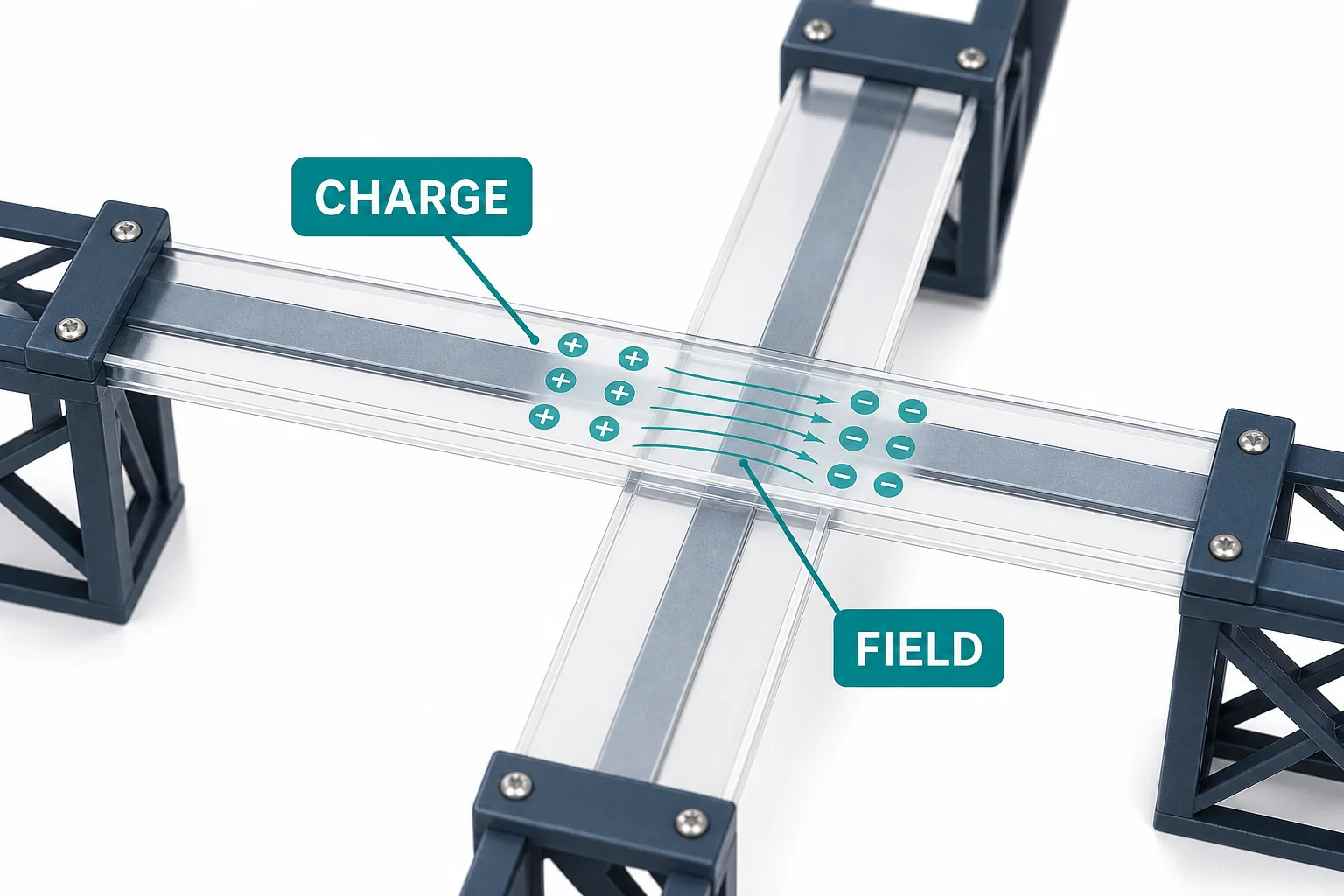
A known charge pattern gives the screen something to compare against.
Your finger changes the field
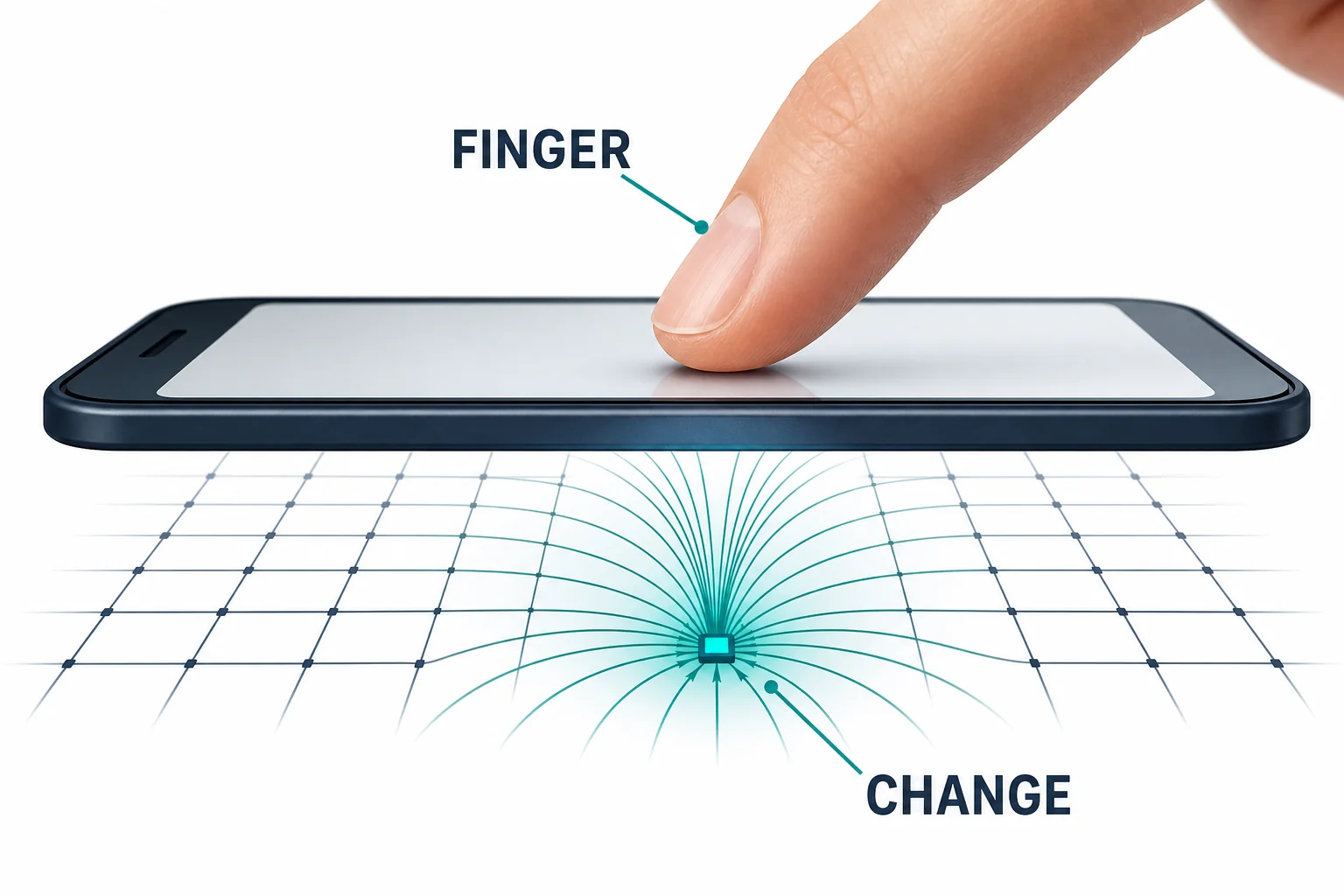
Your finger changes the field most near the place you touch.
The phone scans the rows
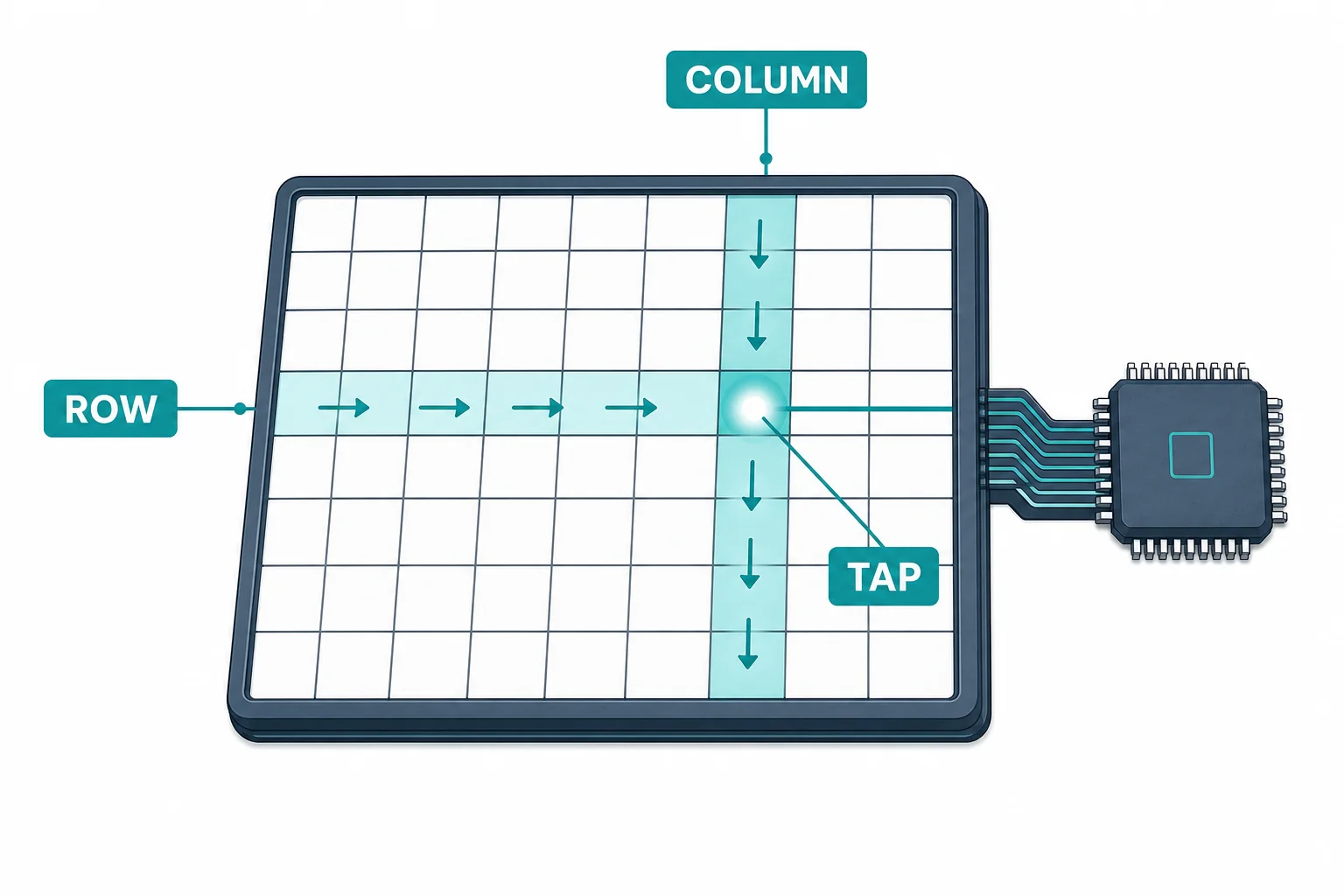
A tap becomes a row and column in the sensor grid.
More than one touch
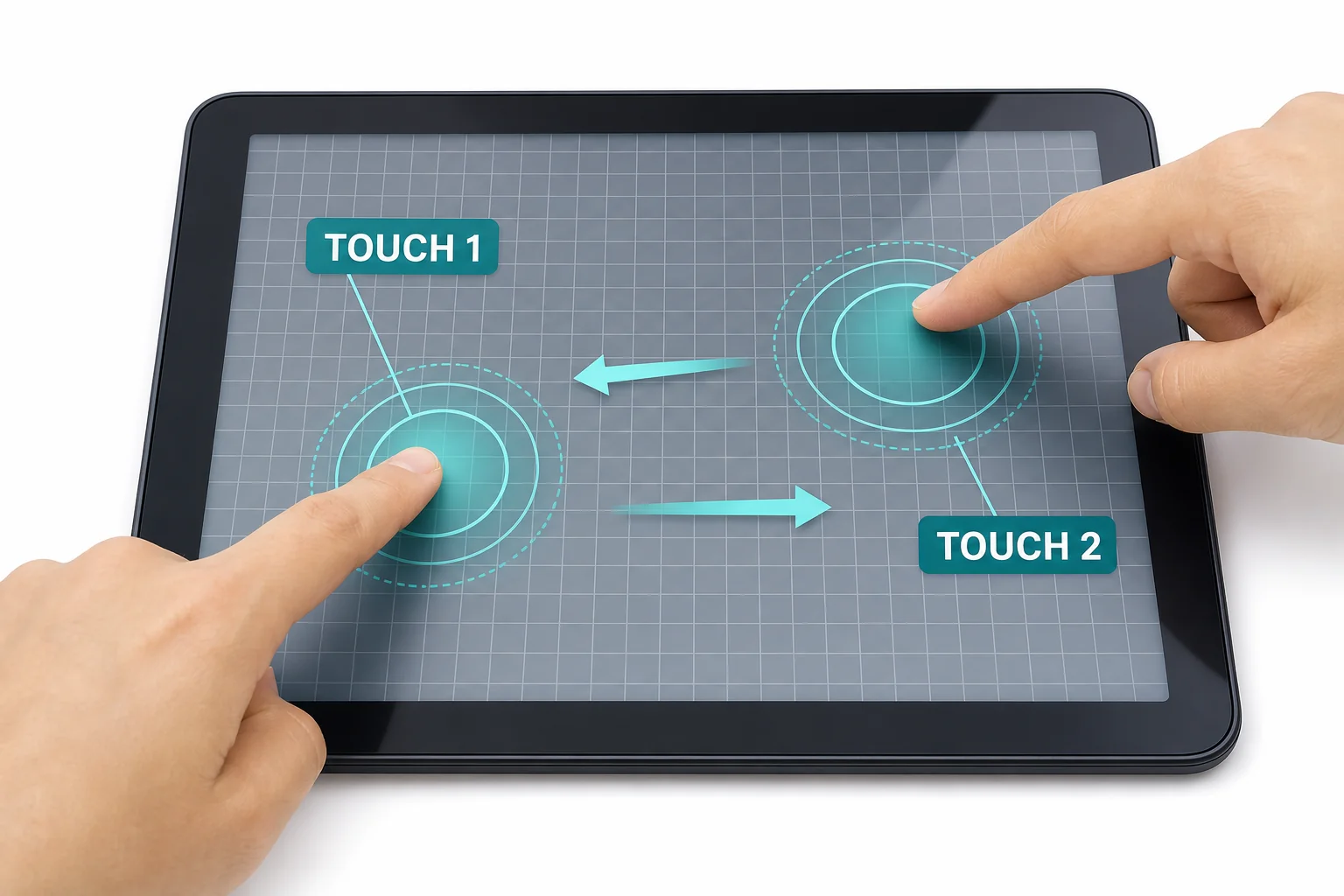
Multi-touch follows several changing field patterns at the same time.
Vocabulary
- Conductor
- A material that lets electric charge move through it easily.
- Electric field
- A region around charged objects where electric forces can act.
- Capacitor
- A device or arrangement that stores separated electric charge.
- Capacitance
- A measure of how much charge can be stored for a given electric push.
- Coordinate
- A pair of values that gives a position, such as a row and a column.
In the Classroom
Map a hidden grid
15 minutes | Grades 6-8
Draw a grid on paper and cover it with a blank sheet. One student secretly marks a crossing, while another asks for row and column clues to find it. Connect the activity to how a touchscreen changes an invisible electrical pattern into a location.
Test conductors and insulators
25 minutes | Grades 6-8
Use a simple battery, bulb, and wire circuit to test foil, plastic, pencil graphite, and other safe classroom materials. Discuss why a finger works on a capacitive screen while many dry plastics do not.
Model a field change
20 minutes | Grades 6-8
Place a printed grid under clear plastic and use transparent counters to mark sensing points near a fingertip. Students shade stronger changes near the center and weaker changes farther away. This models how software estimates touch position from a pattern.
Key Takeaways
- • Most phone touchscreens use electric sensing, not pressure sensing.
- • A transparent grid under the glass acts like many tiny capacitors.
- • A conductive finger changes the electric field near the touch point.
- • The phone scans rows and columns to turn that change into coordinates.
- • Multi-touch works by tracking several field-change patterns at once.