A sectioned form that walks students through every part of a
standard science lab report. Type your hypothesis, list materials,
write numbered procedure steps, fill in a data table, pick two
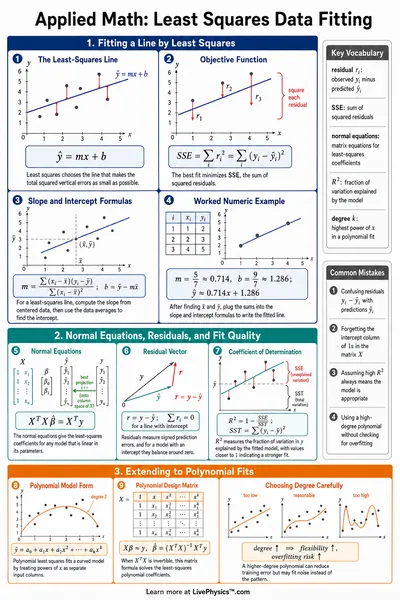
columns to plot, and the tool computes slope and R squared
automatically. Print, save as PDF, or copy a shareable link to
resume later.
Title Block
Edits update the live preview below.
Live preview
Untitled lab report
Hypothesis
No hypothesis recorded.
Materials
No materials listed.
Procedure
No procedure recorded.
Data Table
Trial
X
Y
Graph
Enter at least one numeric pair in the chosen columns to see the graph.
Analysis
No analysis recorded.
Conclusion
No conclusion recorded.
Outcome inconclusive.
How to Write a Strong Lab Report
Anatomy of a Lab Report
Most middle school and high school science teachers expect the
same nine sections, in the same order. This tool walks you
through each one.
Title block with student, class, date, and partners.
Hypothesis written as an "If, then, because" statement.
Materials in a single bulleted list.
Numbered procedure that another student could repeat.
Data table with units in every header.
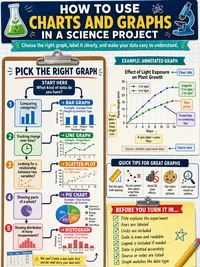
Graph with labeled axes and a best-fit line where useful.
Analysis that interprets the slope and R squared.
Conclusion that revisits the hypothesis and lists error sources.
References for any outside source you used.
Hypothesis vs Conclusion
Hypothesis
Conclusion
Predicts the outcome.
Reports what actually happened.
Names variables and a direction.
Compares prediction to evidence.
Written before any data is collected.
Written after the data and graph are done.
Includes a reason from prior knowledge.
Includes likely sources of error.
A strong conclusion ties the slope or trend back to the
physical idea you predicted in your hypothesis.
Reading the Regression Output
Slope. The change in y per unit change in x.
Match its sign and units to your prediction.
Intercept. The y value when x is zero. Often
reflects a baseline or systematic offset.
R squared. A number between 0 and 1 that
reports how closely the line fits your data. 0.95 and above
is a tight fit, 0.80 to 0.95 is reasonable, below 0.70
signals scatter or a non-linear trend.
Points used. Rows where both selected
columns parsed as numbers. Empty cells and text are skipped
silently.
How to Use This Tool
Click each section in the left sidebar. A check mark appears
once you have written something in that section.
Type or paste your hypothesis, materials, and procedure.
Add or remove rows as needed.
Fill the data table. The tool accepts both 1.5 and 1,5 as
decimal forms.
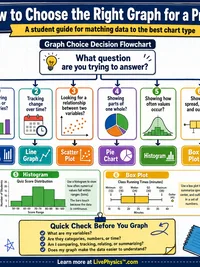
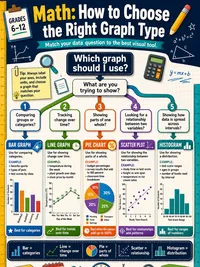
In the Graph section, pick the columns for x and y. The
scatter or line chart and best fit line update instantly.
Click Copy share link to save your draft.
The full report is encoded into the URL, no account needed.
Click Print for a clean printed page or
Download PDF for a formatted copy with the
data table and regression readout.