CPU Instruction Cycle Simulator
See how a processor runs a program. Write a short assembly listing for a small register machine, then step through each instruction as it moves through fetch, decode, and execute. The program counter, the four registers, the data memory, the zero flag, and the output console all update one phase at a time, so you can watch exactly how an instruction changes the machine. Everything runs in your browser and is fully deterministic.
One instruction per line. Use a semicolon for comments and a name ending in a colon for a label. Editing the program rebuilds the trace and resets to step 0.
Read the next instruction from the program into the instruction register.
Machine state
A register touched in the current execute phase is highlighted. Registers are fast on-chip storage, separate from the larger data memory below.
Program
- 0MOV R0, #5
- 1MOV R1, #7
- 2ADD R0, R1
- 3OUT R0
- 4HALT
The arrow marks the program counter (PC), the index of the next instruction to fetch. The highlighted row is the instruction in the current cycle.
Data memory
Output
Data memory holds 16 integer cells, addressed 0 to 15. LOAD and STORE move values between memory and registers. The highlighted cell is the one accessed this step.
Reference Guide
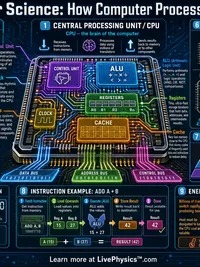
The fetch, decode, execute cycle
A CPU runs a program one instruction at a time, and each instruction passes through three phases.
Fetch. The control unit reads the next instruction from the program into the instruction register, using the program counter to know where to look.
Decode. The instruction is interpreted to find the operation and its operands.
Execute. The operation is carried out, updating registers, memory, or flags, and the program counter advances to the next instruction unless a jump changes it.
Program counter and instruction register
Program counter (PC). Holds the index of the next instruction to fetch. After a normal instruction it moves forward by one, so the machine reads top to bottom.
Instruction register (IR). Holds the raw instruction that was just fetched while it is being decoded and executed.
A jump instruction works by writing a new value into the program counter, which is how loops and branches change the order of execution.
Registers versus memory
Registers. This machine has four general purpose registers, R0 through R3, plus the program counter and the zero flag. Registers are small and fast and hold the values a program is actively working with.
Data memory. There are 16 numbered cells, addressed 0 to 15, used for longer term storage. Values move between memory and registers with LOAD and STORE.
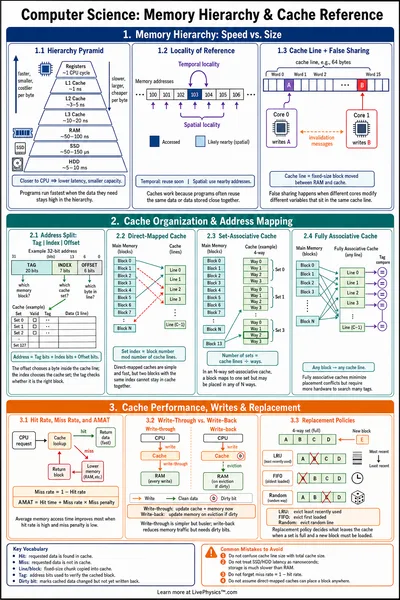
Real processors keep this split for the same reason, registers are quick to reach while main memory is larger but slower.
The instruction set
The toy CPU understands a small set of operations.
MOV   Rd, #n   or  MOV Rd, Rs
LOAD  Rd, [addr]
STORE [addr], Rs
ADD   Rd, Rs   or  ADD Rd, #n
SUB   Rd, Rs   or  SUB Rd, #n
CMP   Ra, Rb   or  CMP Ra, #n
JMP / JZ / JNZ  label
OUT   Rs
HALT
An operand starting with a hash is an immediate number, square brackets name a memory address, and a bare name like R0 is a register.
Labels, jumps, and branching
A label is a name ending in a colon that marks a position in the program. A jump instruction sends the program counter to that position.
JMP. Always jumps to the label, which is how you build a loop.
JZ and JNZ. Jump only when the zero flag is set or clear, which is how you build a decision. Together with CMP they let a program repeat a block a fixed number of times or stop when a value reaches a target.
The zero flag and what this is
Zero flag (Z). A single bit that CMP sets to true when its two operands are equal and to false when they differ. Conditional jumps read this flag to decide whether to branch.
This is a teaching model, not a real processor. There is no pipeline, cache, or interrupt handling, and it works with plain integers only. A step limit stops runaway loops so the page never hangs. Everything runs in your browser, so nothing is sent to a server.