Fraction Multiplication Visualizer
See what happens when you multiply fractions using colorful area models. Watch the overlap region appear step by step, practice building models yourself, and explore scaling on a number line. All computation runs in your browser.
Try an example
Area Model
The rectangle is split into 3 rows and 4 columns = 12 equal parts
Reference Guide
Area Model
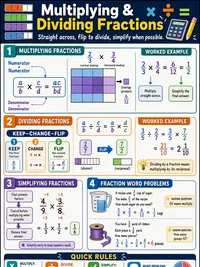
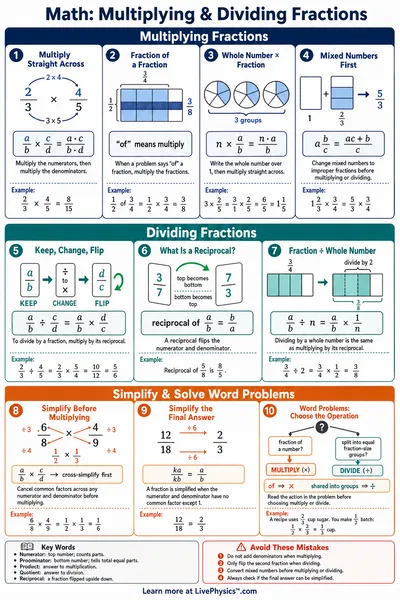
To multiply 2/3 × 3/4, draw a rectangle split into 3 rows and 4 columns (12 equal parts). Shade 2 rows one color and 3 columns another. The overlapping cells show the product.
Overlap cells / Total cells = Product. Here the overlap is 6 cells out of 12, so 2/3 × 3/4 = 6/12 = 1/2.
Multiply Tops and Bottoms
The shortcut, multiply the numerators together for the new top, and the denominators together for the new bottom.
2/3 × 3/4, tops 2 × 3 = 6, bottoms 3 × 4 = 12. The product is 6/12, which simplifies to 1/2.
Whole × Fraction
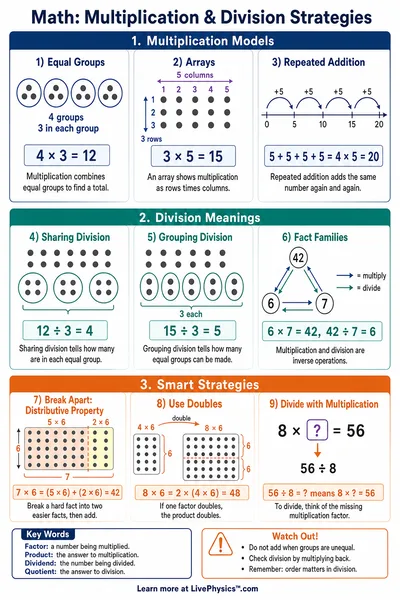
To multiply a whole number by a fraction, write the whole number as a fraction over 1, then multiply as usual. 5 × 2/3 = 5/1 × 2/3 = 10/3.
Any fraction less than 1 makes the whole number smaller. Any fraction greater than 1 (an improper fraction) makes it bigger.
Simplifying the Product
After multiplying, find the greatest common factor (GCF) of the numerator and denominator. Divide both by the GCF.
6/12, the GCF of 6 and 12 is 6. Divide both by 6 to get 1/2. Always check if your answer can be simplified.