Box Plot Builder
Enter up to three datasets to see side-by-side box plots with the five-number summary, IQR, Tukey whiskers, and outliers. Compare distributions at a glance.
Datasets
Box Plot
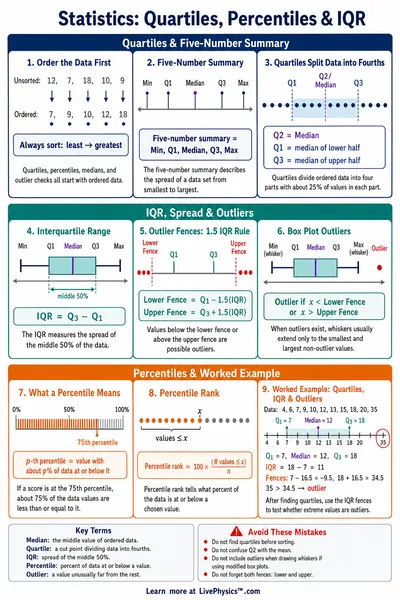
Five-Number Summary
| Statistic | Dataset A | Dataset B |
|---|---|---|
| N | 15 | 15 |
| Min | 64.00 | 52.00 |
| Q1 | 67.00 | 56.00 |
| Median | 71.00 | 60.00 |
| Q3 | 75.00 | 64.00 |
| Max | 80.00 | 70.00 |
| IQR | 8.00 | 8.00 |
| Lower Whisker | 64.00 | 52.00 |
| Upper Whisker | 80.00 | 70.00 |
| Outliers (#) | 0 | 0 |
Reference Guide
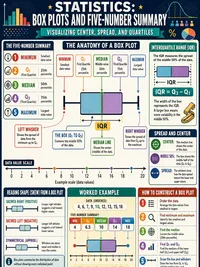
Reading a Box Plot
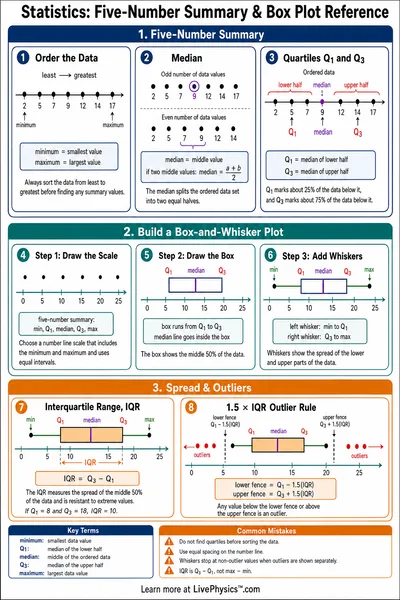
A box plot (also called a box-and-whisker plot) shows five key values for a dataset in a compact graphic.
- Left whisker end - minimum non-outlier
- Left box edge - Q1 (25th percentile)
- Center line - median (50th percentile)
- Right box edge - Q3 (75th percentile)
- Right whisker end - maximum non-outlier
- Diamonds - outlier points
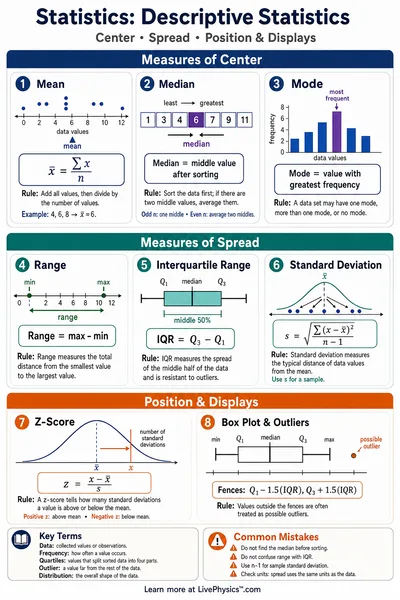
The box spans the interquartile range (IQR), which contains the middle 50% of the data.
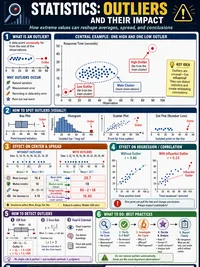
IQR and Outlier Detection
The Tukey method defines fences based on the IQR to identify outliers automatically.
Any data point below the lower fence or above the upper fence is considered an outlier and plotted individually as a diamond.
Whiskers extend to the most extreme non-outlier values within the fences.
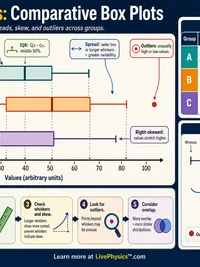
Comparing Distributions
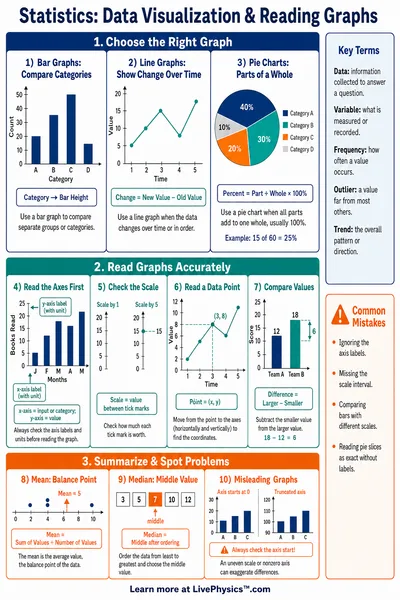
Side-by-side box plots on a shared axis make it easy to compare multiple groups. Look for
- Location - where is the median? Higher or lower than other groups?
- Spread - how wide is the box (IQR)? Wide boxes mean more variability.
- Skew - is the median closer to Q1 or Q3? Longer whisker side indicates a tail.
- Outliers - are there extreme values that might warrant investigation?