Clustering Explorer (k-means)
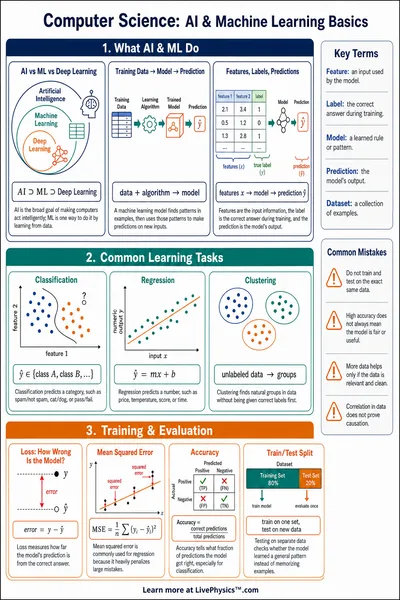
Pick the number of clusters, choose a preset dataset or click the plot to add your own points, then step the k-means algorithm one iteration at a time or run it to convergence. Track WCSS and the silhouette score as the algorithm assigns points and updates centroids.
Use Step iteration for a single E-step plus M-step, or Run to convergence to animate. Switch to Add Points mode to draw your own dataset.
Metrics
- Iteration
- 0
- Points
- 60
- k
- 3
- WCSS
- 0.00
- Silhouette (mean)
- n/a
- Converged
- no
WCSS is the within-cluster sum of squared distances. Lower is tighter. Silhouette ranges from −1 to 1; values closer to 1 indicate well-separated clusters.
Objective function
k-means minimizes the within-cluster sum of squared distances
E-step
Assign each point to its nearest centroid
M-step
Recompute each centroid as the mean of its assigned points
Convergence and local minima
Each step is guaranteed to reduce or hold the objective J, so the algorithm always converges in a finite number of iterations. The solution found is locally optimal but not globally optimal. Try different initializations to escape poor local minima. k-means++ spreads the initial centroids out and tends to converge to better solutions than uniform random initialization.
Reference Guide
How k-means Works
k-means is an iterative algorithm that partitions N points into k clusters. It alternates two steps until centroids stop moving.
- Initialize. Pick k starting centroids (random points, or use k-means++ to spread them out).
- E-step. Assign every point to the nearest centroid by squared distance.
- M-step. Move each centroid to the mean position of its assigned points.
- Repeat. Loop the E-step and M-step until centroids stop changing.
Objective
When k-means Struggles
k-means assumes clusters are roughly spherical, similarly sized, and convex. It fails on shapes that violate those assumptions.
- Non-convex shapes. Try the Two Moons or Concentric Rings preset. k-means cuts straight lines through the data instead of following the arcs.
- Anisotropic clusters. Stretched or rotated groups confuse the algorithm because Euclidean distance treats every direction equally.
- Very different cluster sizes. Large dense clusters can pull centroids away from small ones.
- Wrong k. The algorithm always returns k clusters even if the data has fewer or more natural groups.
For non-convex shapes, try DBSCAN or spectral clustering. For an unknown k, scan over candidate values and inspect the silhouette score or the elbow in WCSS.
Random vs k-means++
Initialization matters. Plain random initialization can drop two centroids inside the same dense region, leaving another cluster unrepresented. k-means++ avoids that.
- Pick the first centroid uniformly at random from the data.
- For each remaining centroid, sample a point with probability proportional to , the squared distance to the nearest existing centroid.
- Run k-means as usual.
k-means++ is a small extra cost and reliably produces lower final WCSS. Reset the centroids a few times and compare.
Reading the Metrics
WCSS (within-cluster sum of squares) is the value of the k-means objective. It always falls or holds at each iteration. Plot it against k for an elbow analysis.
Silhouette score measures how close each point is to its own cluster compared to the next-best cluster. It ranges from −1 to 1. Values near 1 indicate tight, well-separated clusters; values near 0 indicate overlap; negative values indicate likely misassignment.
a(i) is the mean distance from point i to the rest of its cluster. b(i) is the mean distance from i to the nearest other cluster.
Practical Tips
- Standardize features in real datasets so distances are comparable across dimensions.
- Run k-means several times with different seeds and keep the result with the lowest WCSS.
- Choose k by silhouette score or by the elbow point in a WCSS vs k plot.
- k-means is sensitive to outliers because the objective uses squared distance. Consider k-medoids for robustness.
- The Step iteration button helps you trace the algorithm by hand for small datasets, which is useful for AP CS or intro data science exercises.
Real-World Uses
- Customer segmentation. Group shoppers by purchase frequency and order size for targeted marketing.
- Image color quantization. Reduce a photo to k representative colors by clustering pixel values.
- Document clustering. Group articles by topic from word-frequency vectors.
- Anomaly detection. Points far from every centroid are candidates for outliers.
- Vector quantization. Compress audio or feature vectors by mapping each input to its nearest centroid.