Spanish Listening Dictation
Listen to Spanish words and short phrases, then type what you hear. The tool checks your spelling, is lenient on accents in practice mode, and reads aloud with your device's Spanish voice.
Choose your mode
Single words. You can show the Spanish text alongside the audio while you build confidence.
Meaning Hello
How it works
Press the play button to hear a Spanish word or short phrase, then type exactly what you hear in the box. Use the accent row (á é í ó ú ñ ¿ ¡) to add the marks your keyboard may not have. Press Check to compare your answer against the target, or Reveal to see it.
Three modes scale the difficulty. Learn uses single words and lets you show the Spanish text alongside the audio. Practice moves to short phrases with audio only, and forgives missing accents or ¿ ¡ punctuation. Challenge keeps the phrases audio only and marks accents and punctuation as part of the answer.
Curriculum alignment
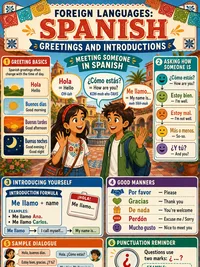
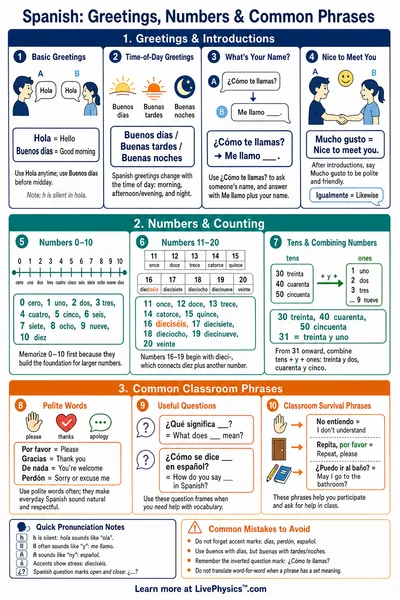
Dictation links listening, spelling, and meaning in one short task. It builds phonemic awareness of Spanish sounds such as the rolled r, the ñ, and the vowel system, and it trains learners to hear where written accents fall. The greetings, numbers, classroom terms, and everyday phrases here map to early middle school and high school Spanish units.
Audio is generated by your device's built in Spanish voice using the browser speech feature. Voice quality varies by device and operating system. If no Spanish voice is installed the tool shows the written text so you can keep practising reading and spelling.