Linear Regression Trainer
Drag the slope and intercept sliders to fit a line by hand, or run gradient descent and watch it converge step by step. Toggle the closed-form OLS reference line to see the optimum.
Click empty space to add a point. Drag a point to move it. Shift+click a point to remove.
Controls
y ≈ 2x + 1 with σ=0.5
Small values are stable but slow. Large values train faster but can overshoot or diverge.
Live metrics
Closed-form OLS
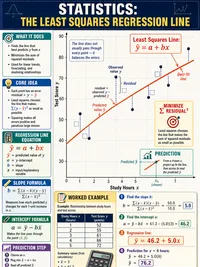
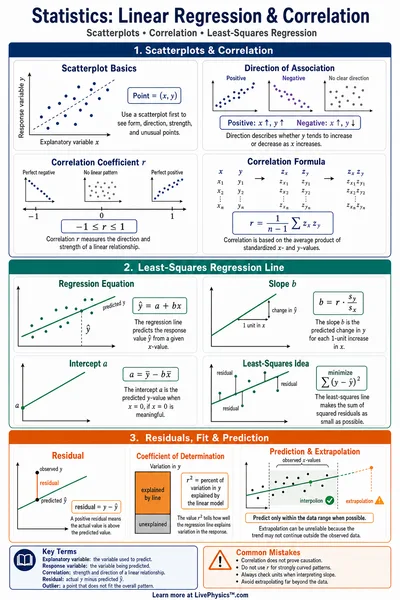
The best-fit line minimizes the sum of squared residuals. There is an exact formula.
Gradient descent
Iterative method. Each step nudges m and b downhill on the loss surface.
R squared
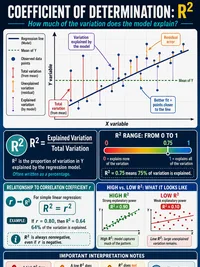
Fraction of variance in y explained by the line. Equals 1 for a perfect fit, near 0 for no linear relationship.
Negative R squared is possible if your line fits worse than a horizontal line at the mean.
How gradient descent finds the line
The loss surface
For a linear model y = m x + b, the mean squared error is a smooth bowl shaped function of m and b. The bottom of the bowl is the OLS solution. Every step of gradient descent moves the parameters a bit closer to that bottom.
The learning rate α
Each step is gradient times learning rate. Small α gives slow but stable descent. Large α can leap past the minimum or even diverge, which is exactly what the loss curve plot shows when you pick a value that is too aggressive.
OLS assumptions
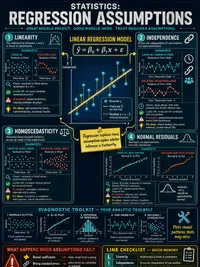
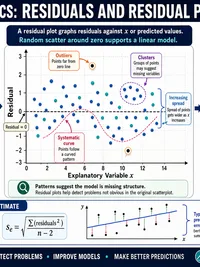
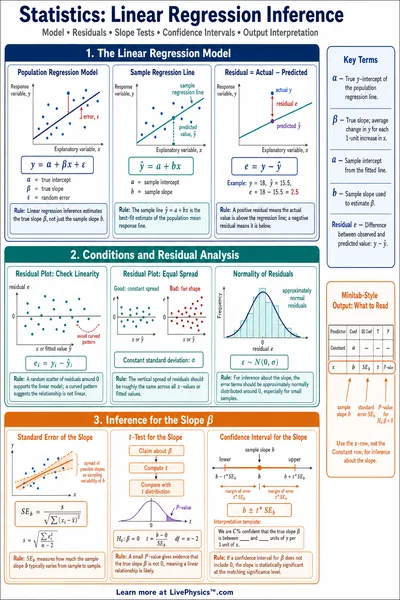
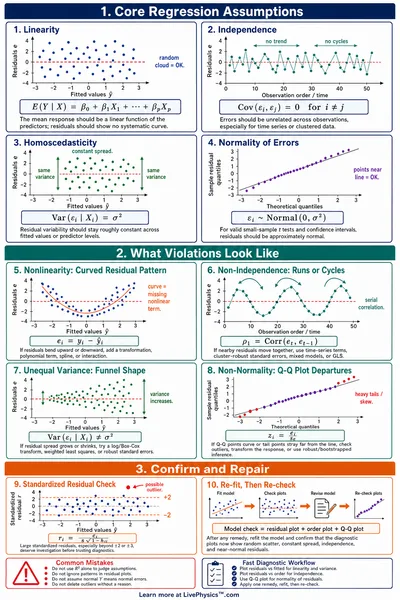
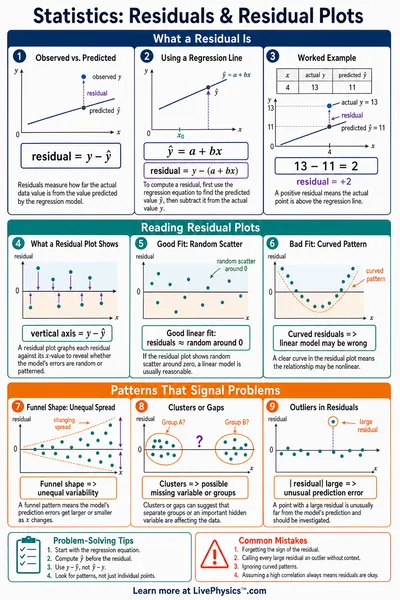
Ordinary least squares assumes residuals are roughly homoscedastic and free of extreme outliers. Switch to the heteroscedastic or outlier datasets and watch how a few unusual points pull the OLS line away from the visually intuitive fit.
R squared
R squared is the share of variance in y explained by your line. A perfect fit gives 1, the mean line gives 0, and a worse than mean fit can give a negative value.
Try these experiments
Race to the minimum
Pick the far from optimum init, then try learning rates 0.005, 0.05, and 0.4 in turn. Compare iterations to convergence and observe when the loss curve flattens versus oscillates.
See an outlier in action
Switch to the outlier corrupted dataset, click Show OLS, then drag one outlier farther from the cloud. Notice how the OLS line swings to chase it, even though the bulk of points stay put.
Build your own scatter
Choose Custom, click empty space to add points, drag points to move them, and shift click to remove. Watch m, b, MSE, and R squared respond instantly.
Diverge on purpose
Crank the learning rate near 0.5 with the high noise dataset and click Train. The loss curve will jump around. This is a tangible demonstration of why deep learning frameworks expose α as the first hyperparameter to tune.
Where this connects in your course
- AP Statistics. Least squares regression line, R squared, residual analysis, and influential points.
- Intro machine learning. Gradient descent, learning rate selection, loss curves, convergence behavior.
- Numerical methods. Iterative optimization compared against an exact closed form solution.